
20/03/2025
This week, I have worked on creating chess pieces for my game. I modelled them, textured them, and put them into unreal and made it so I can walk and look around as a chess piece.
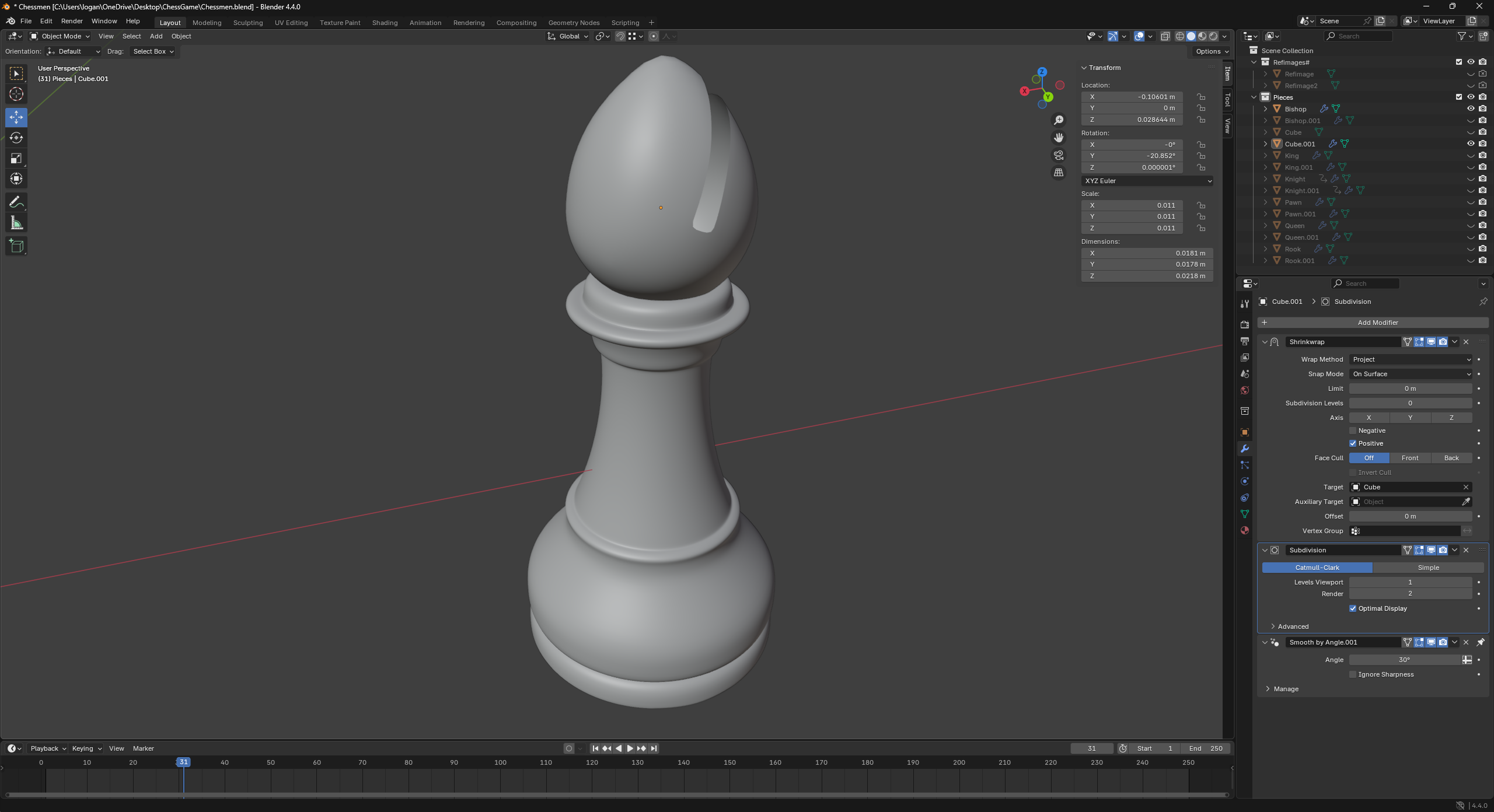
Over the week, I have learnt a lot about the modelling process and different techniques to create high-quality models. For example, I improved in subsurface modelling in Blender by learning how to make smooth and sharp edges while still keeping good topology. And I have learnt a really useful technique on how to create a cut into an irregular rounded object without creating any triangles or N-gons which I used while modelling the bishop. I also learnt the importance of quality UV unwrapping to stop the distortion in the textures. This helped me a lot with texturing the chess pieces because they are all quite rounded and complex shaped which ended up making the textures quite distorted and disconnected at first.
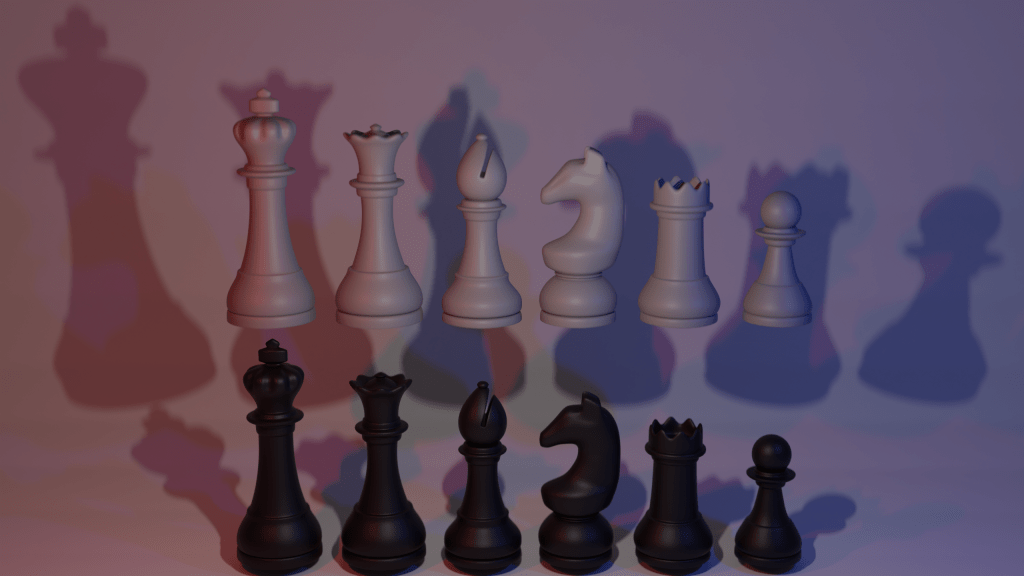
Here is a before and after of the technique I used on my bishop and a final render of all my pieces:

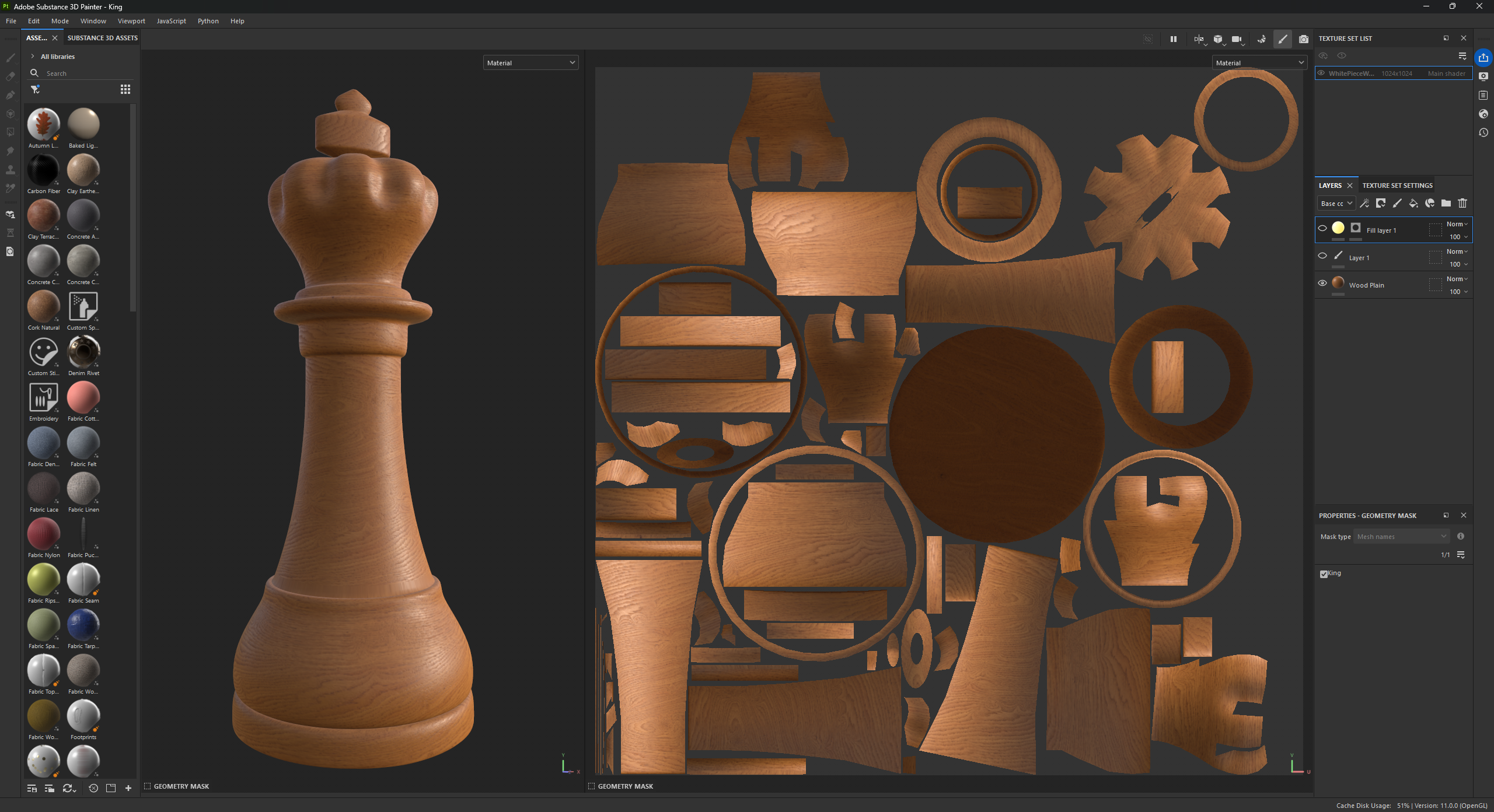
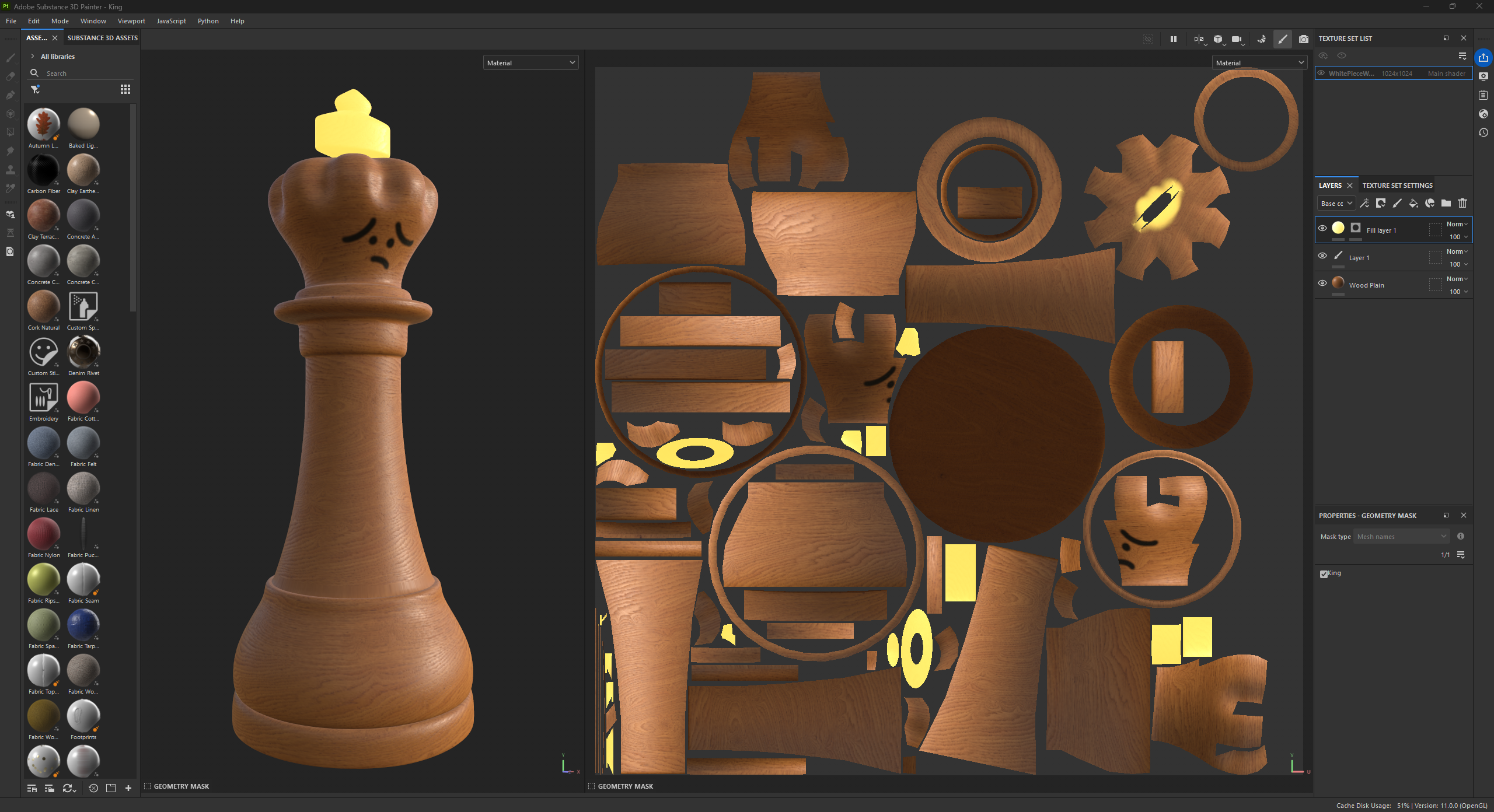
I have also learnt how to use a new software. Adobe Substance 3D Painter. At first I was overwhelmed with all of the buttons and menus I was greeted with when opening it. But after watching some tutorials on how to use this software, I managed to import my models and get a nice stylized wooden texture on them. I also learnt how to use layers in the software to create faces for the pieces and “paint” on top of the wood.
Here are two image comparison sliders of my king in Substance Painter:

Finally, I had a refresh of unreal engine by importing the models into my project and setting up their materials. I also created the pawn as a character and made it a simple movement system. I learnt about how to utilize components and am planning to use these to keep my project as simple and modular as possible to keep and easy workflow.
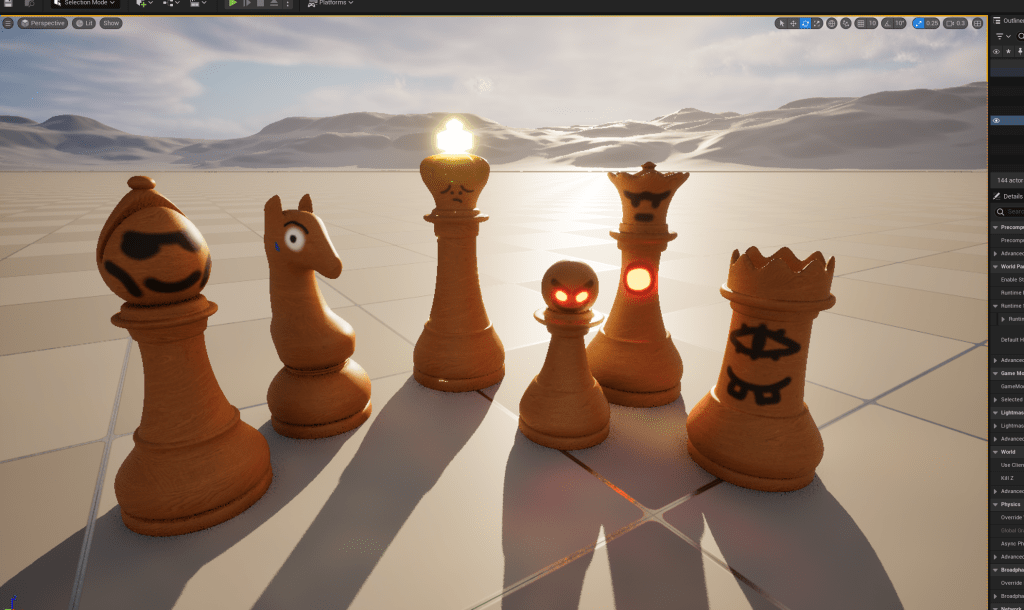
Overall, I think I have had a very successful first week. I have learnt a lot on how to use different software and difference techniques and processes. Next week, I am going to be focusing on the mechanics on my game now that I have laid out the groundworks. Next week, I will also be more focused on conducting some primary and secondary research because this week I haven’t done much.
29/03/2025
This week, I have created a lot in terms of my game mechanics. I have almost finished my chess board and have most of the movement down for the chess mechanic.
Throughout the week, I have learnt a lot about unreal engine and how to use different nodes and blueprints. I have learnt how to use arrays, macros, I have learnt how to use functions in a whole new way, and I have learnt some very useful methodology when it comes to using nodes.

For example, I have learnt how to use the select node, by using it together with the array system I made, I can accurately remove and add pieces wherever I want on the board with this node. I can add as many options as I want and whichever number the index going into the node is, it will chose that option as a return value. I have used this in starting the 1v1 between pieces to place down the player characters too.
Although I was faced with many problems while creating my chess mechanic, I was able to overcome them eventually by just throwing as many solutions at it as I could and finding which one works best.
Here is a slideshow of different code I have made in Unreal Engine for the chessboard this week:
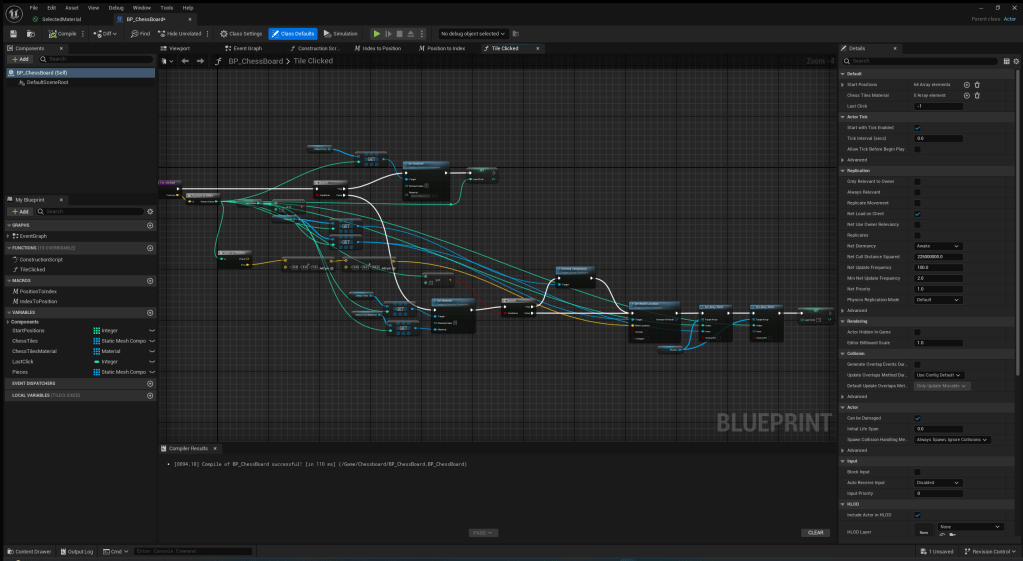
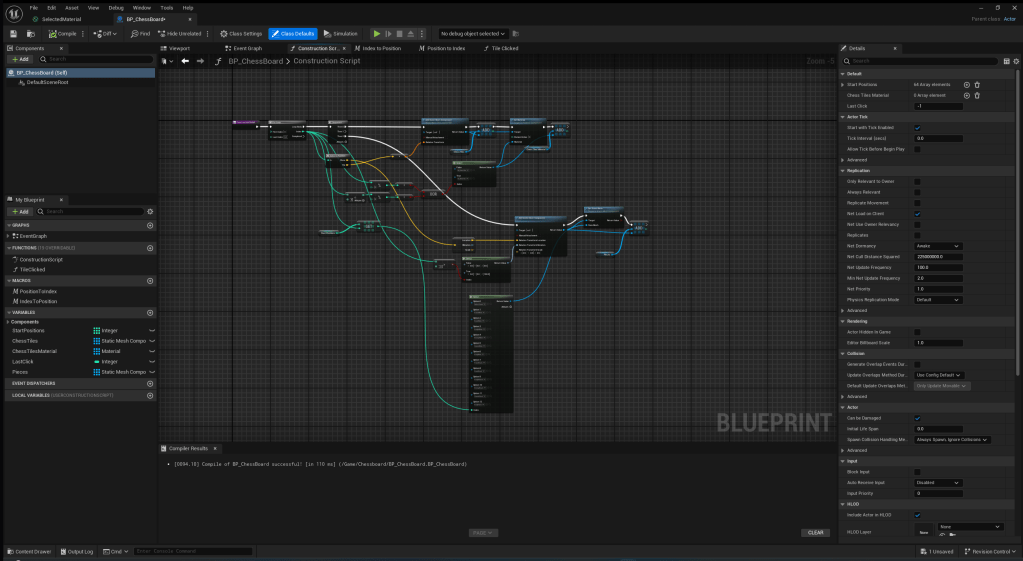
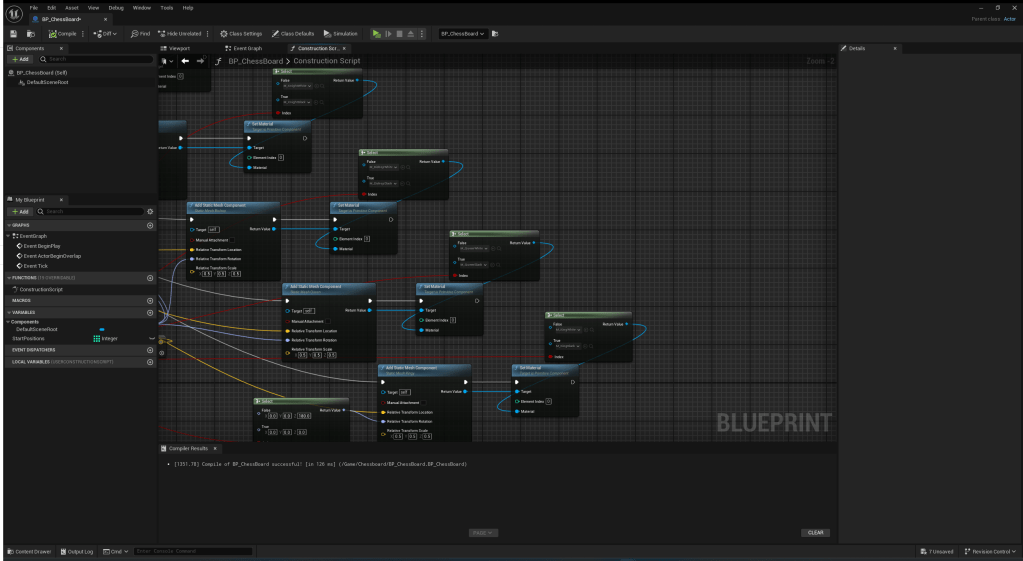
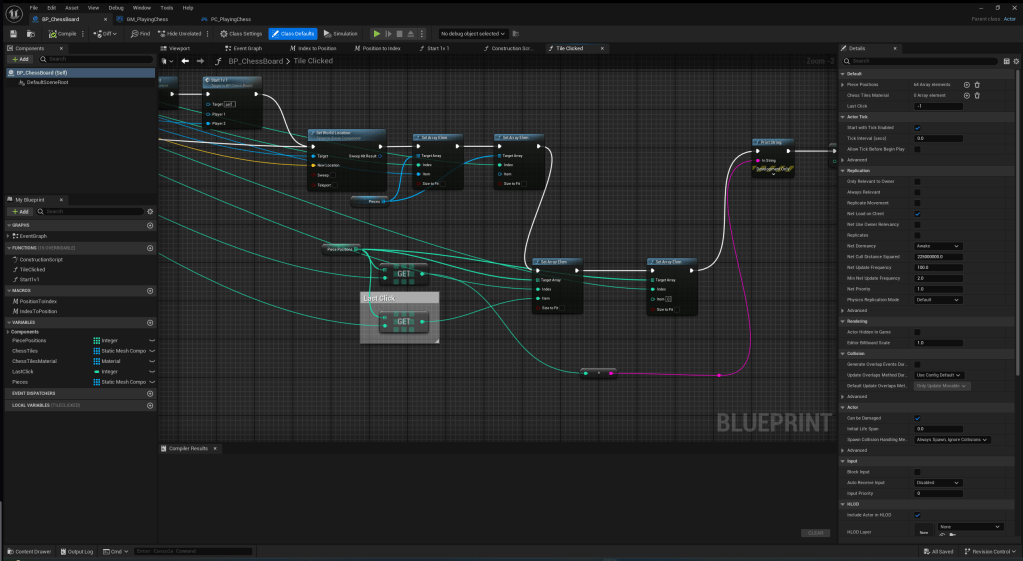
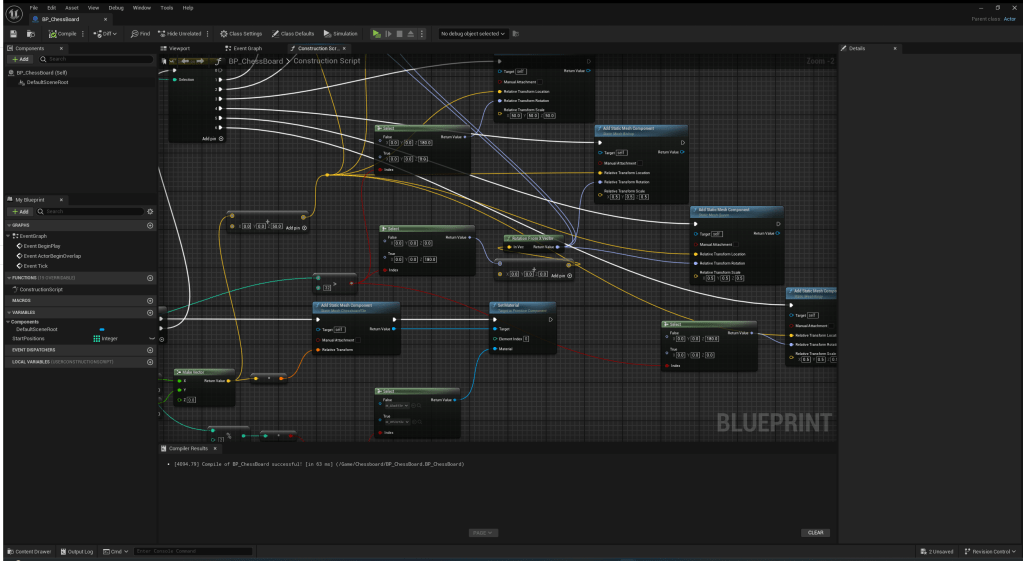
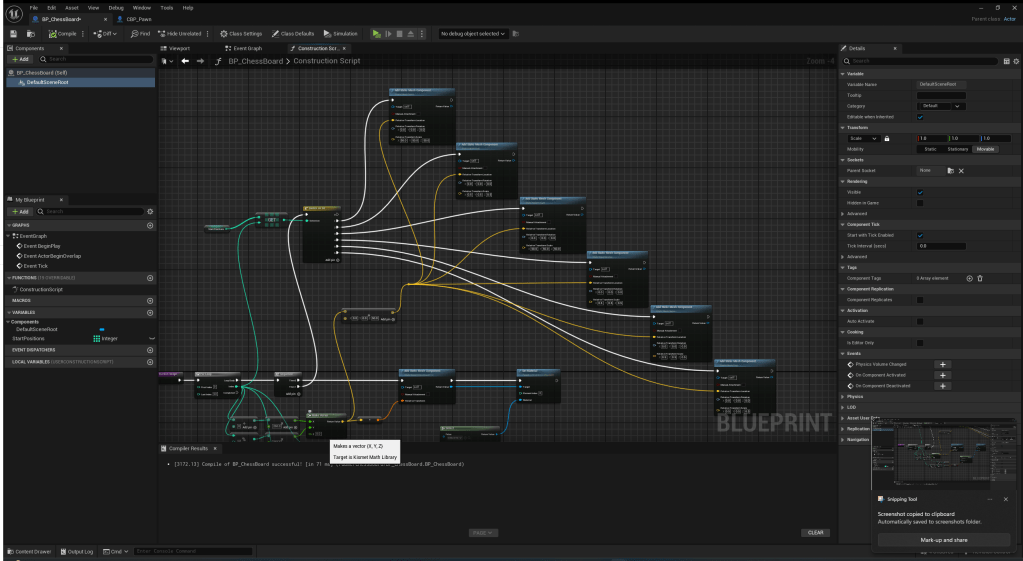
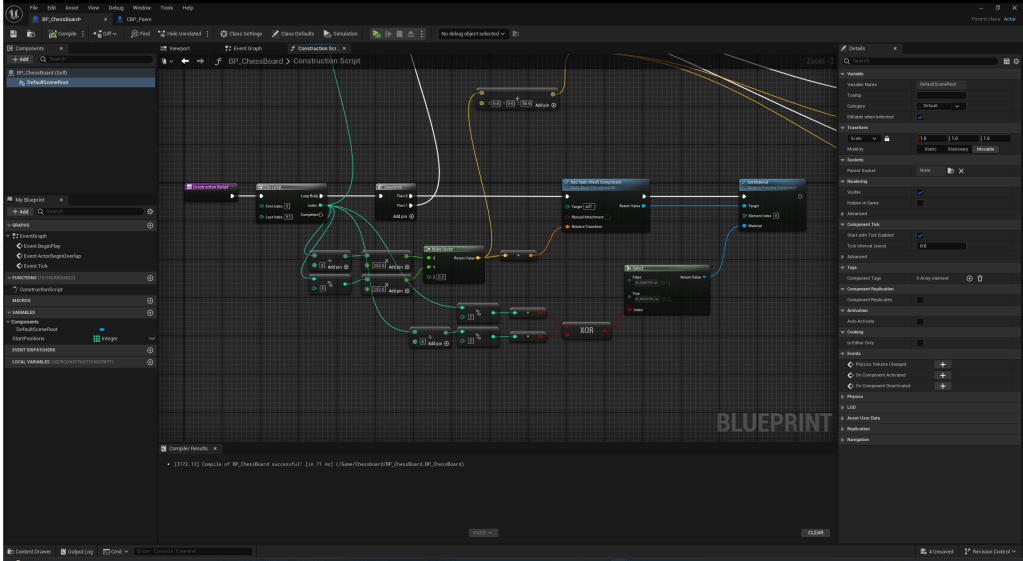
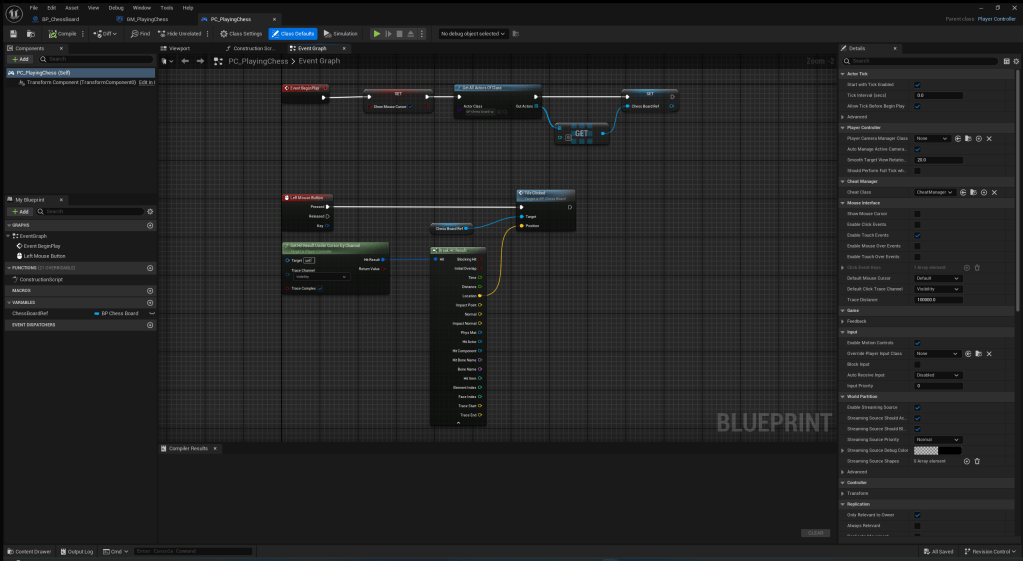


Although it just looks like a chess board, It took a lot of time and effort to make it and the mechanics. I also had to remake how the pieces were placed halfway through because it wouldn’t work with moving the pieces away from their starting position. This is the before and after code:
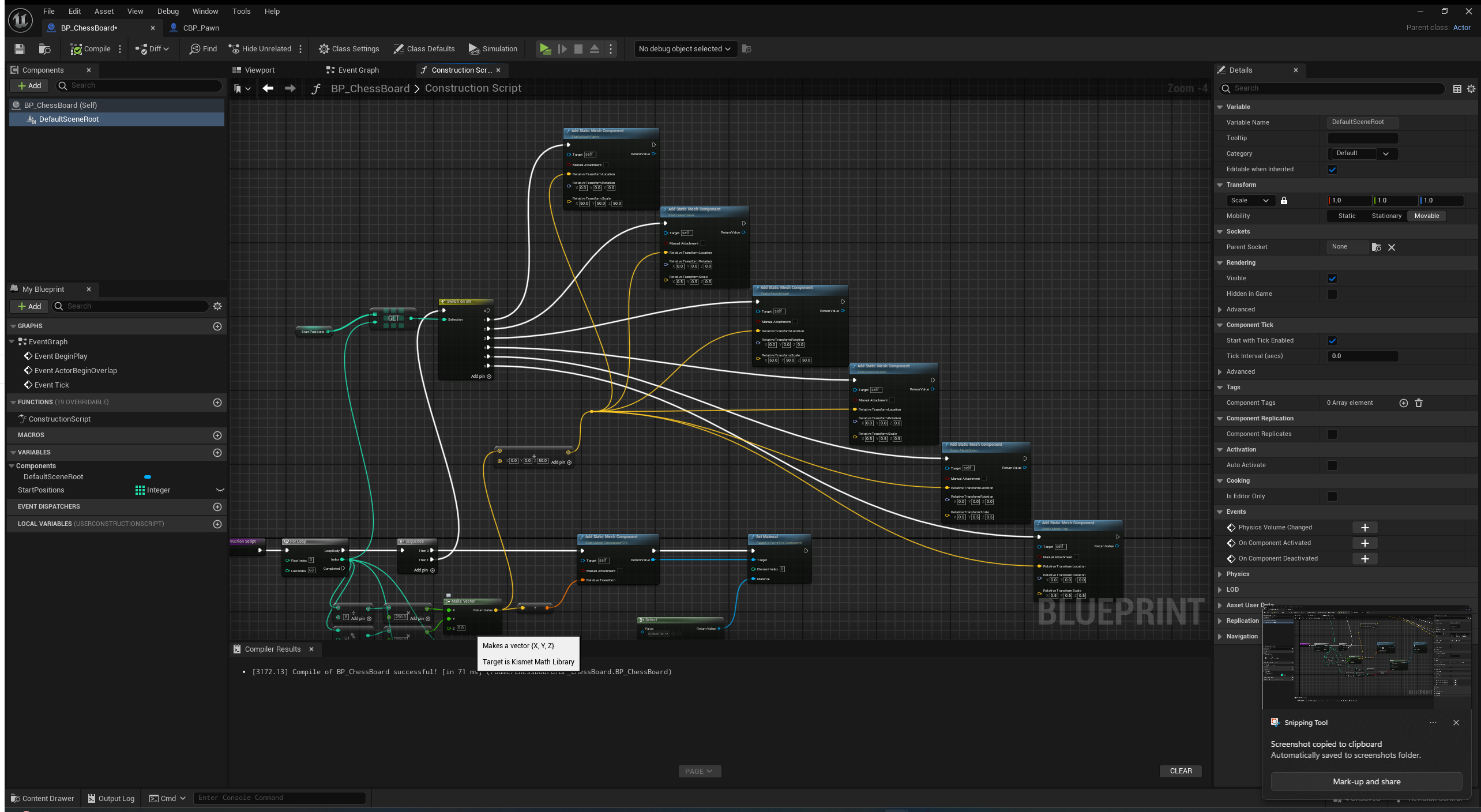
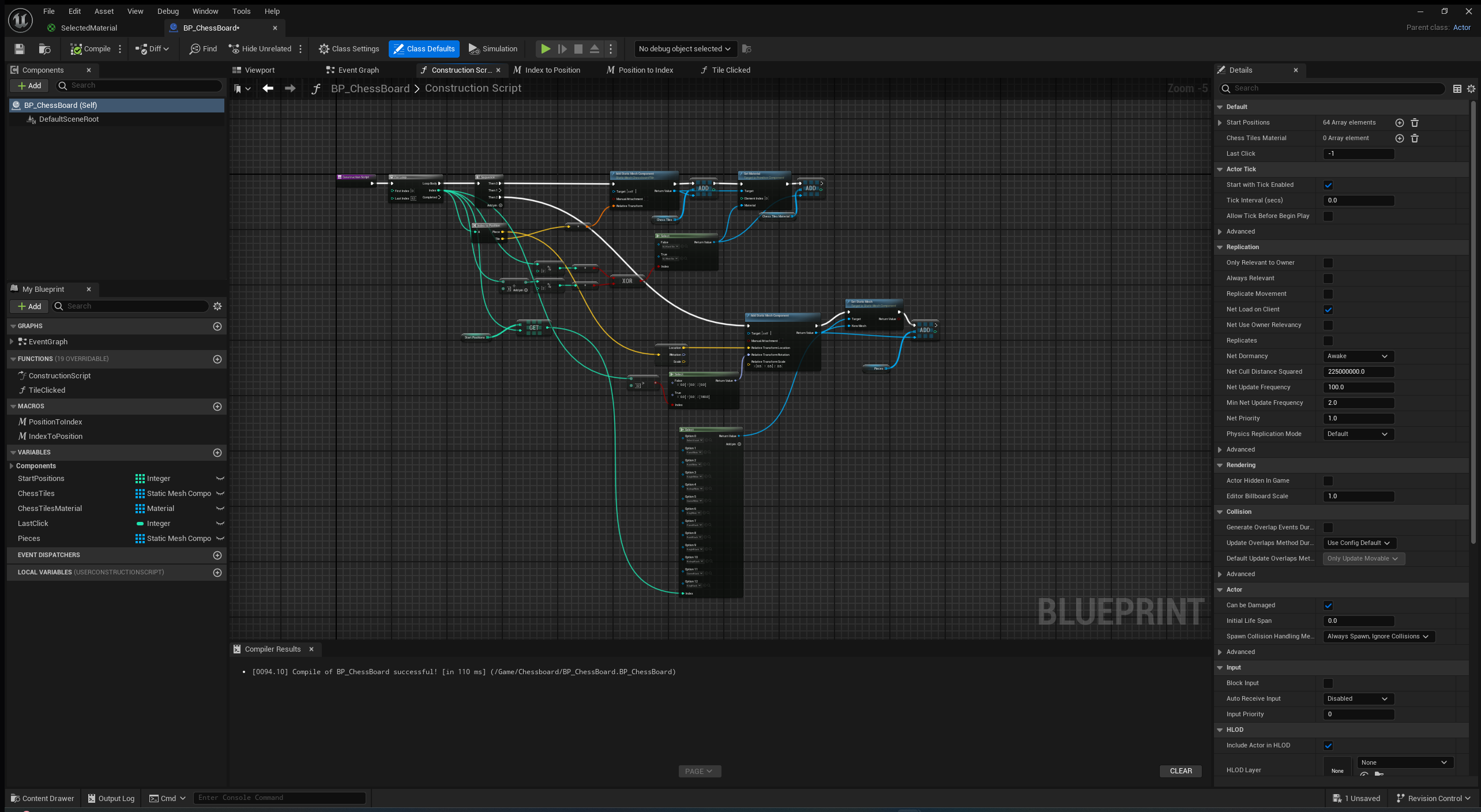
Overall, I think I have had a very successful week, I have learnt a lot about using unreal engine and I have managed to overcome many complex problems. However, as you can see from the nodes, they are very messy and I think I could do a better job in being more organized. Next week, I will try be more neat with my code so it is easier for me to fix and upgrade to make my work quicker. I will also create the FPS 1v1 mechanic by the end of the week hopefully. I am going to conduct primary research to help make my mechanic more engaging.
06/04/2025
This week, I have fully completed the chess mechanic and the FPS 1v1 system. I have integrated them so when a piece is taken in the chess game, they 1v1, then whoever wins the 1v1 gets to take the other piece. I like this because it will make the player think more about which piece they want to take another piece with.
I learnt a lot this week about making split-screen work in games and how to add controller input for the second player.
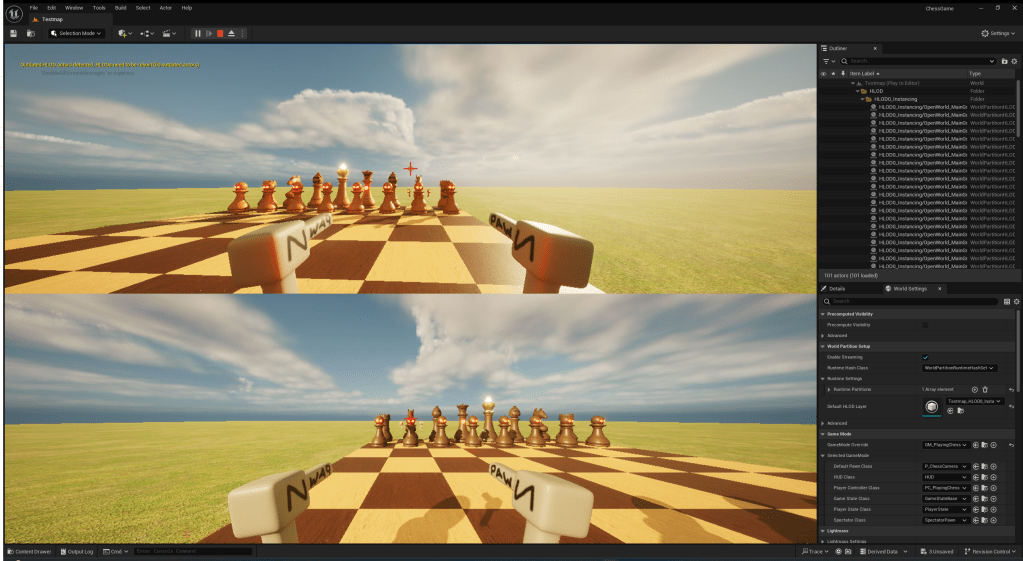
Here is a screenshot and a video of the split-screen players:
I also learnt a bit about image editing software while creating my crosshair and muzzle flash. For my muzzle flash, I learnt a few useful techniques in creating effects to put in games.
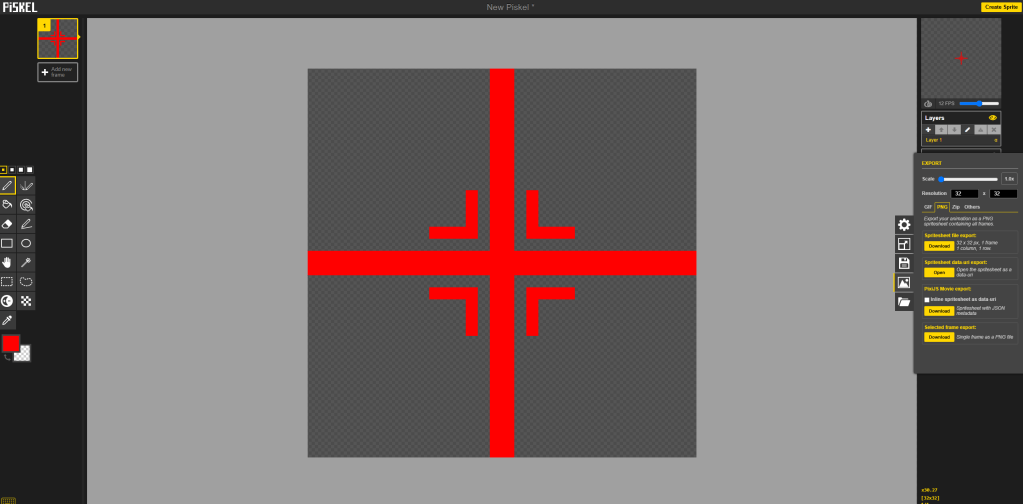
I have also started using the Niagara System in Unreal, I learnt how to use it in a tutorial I watched this week and it was very useful in creating a nice muzzle flash. I also managed to create a bullet effect with this same method after.
I also watched this YouTube video and learnt the importance of components. So for all of my players, I created a health component to drag onto them to keep my game optimized and easier to make.
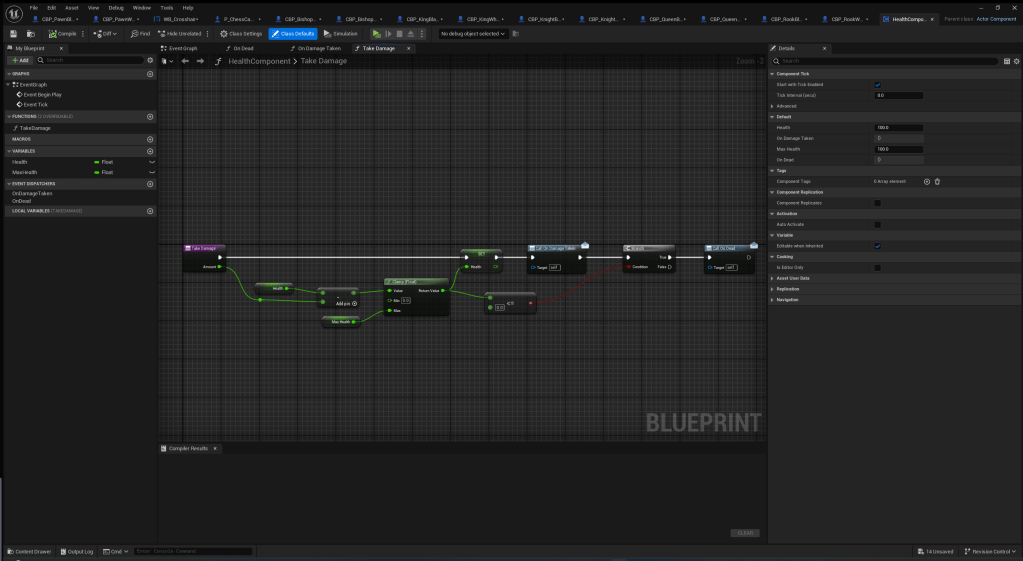
This is the blueprint for the Health Component I made:
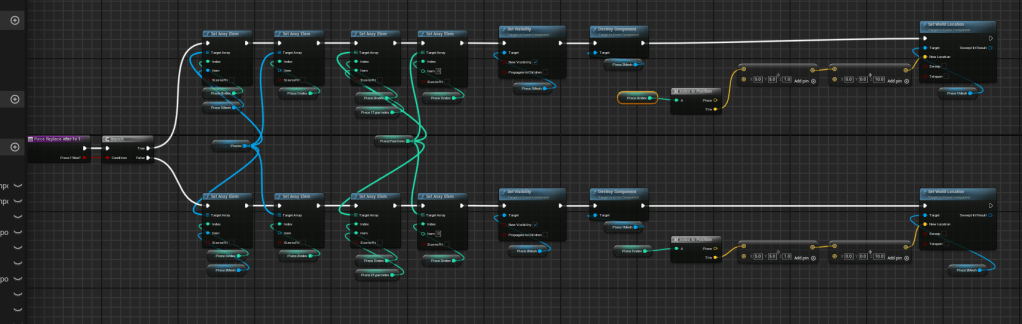
The main part I think I have improved on this week, is problem solving in Unreal. I have managed to create many problems this week while coding for the piece being taken after the 1v1 and after a lot of attempts, I managed to think of the right way to do it. These two images below is the solution I came up with.
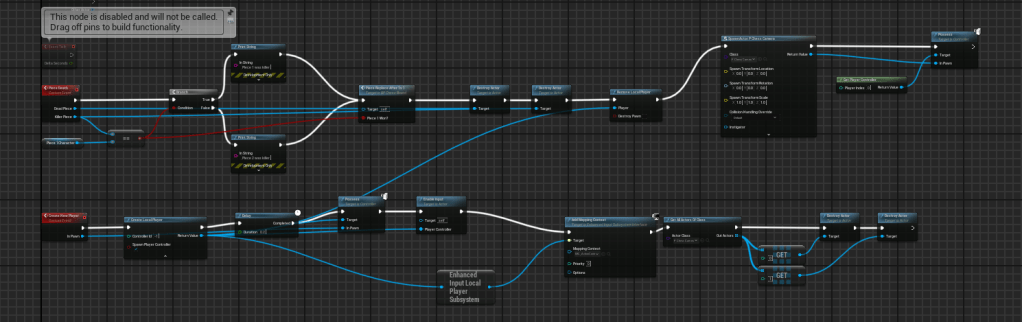
Finally, I also learnt how to implement sound effects into my game. However, I think I could do a better job with them and record my own if I have time later on in the project.
This is a quick video showcasing the state of my game at the end of this week:
Overall, I am extremely happy with my progress this week. I have managed to complete one of my main mechanics in my game a lot earlier than I thought I would be able to. I think I could improve on keeping my focus on the simpler parts of my game before branching off onto more complex and less needed parts though. So next week, I am going to create weapons and attacks for all of the other pieces. I will also create different movement for each piece too.
13/04/2025
This week, I almost fully completed all of the pieces attacks and movement in my game. I have a couple abilities to create still, but I will finish them next week.
Throughout the week, I learnt how to properly use the projectile component in Unreal Engine. I used it because I wanted to have the knight and queen to “launch” their weapons rather than instantly shoot them.
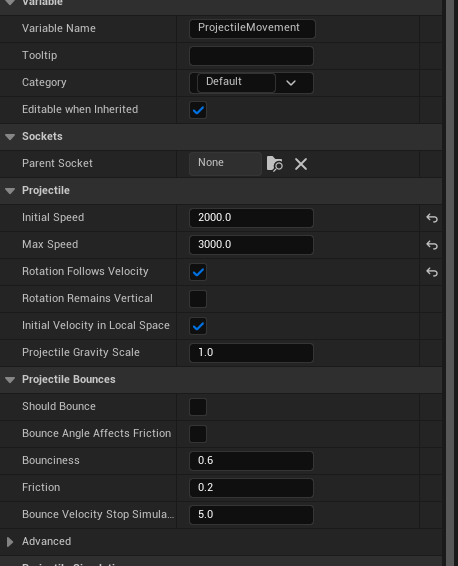
The projectile component was very easy to work with. All I had to do was add it onto an actor and edit the variables to how I wanted them to be.
I also created a few more models for my game in Blender this week. I learnt a couple new techniques in blender such as using bridge:
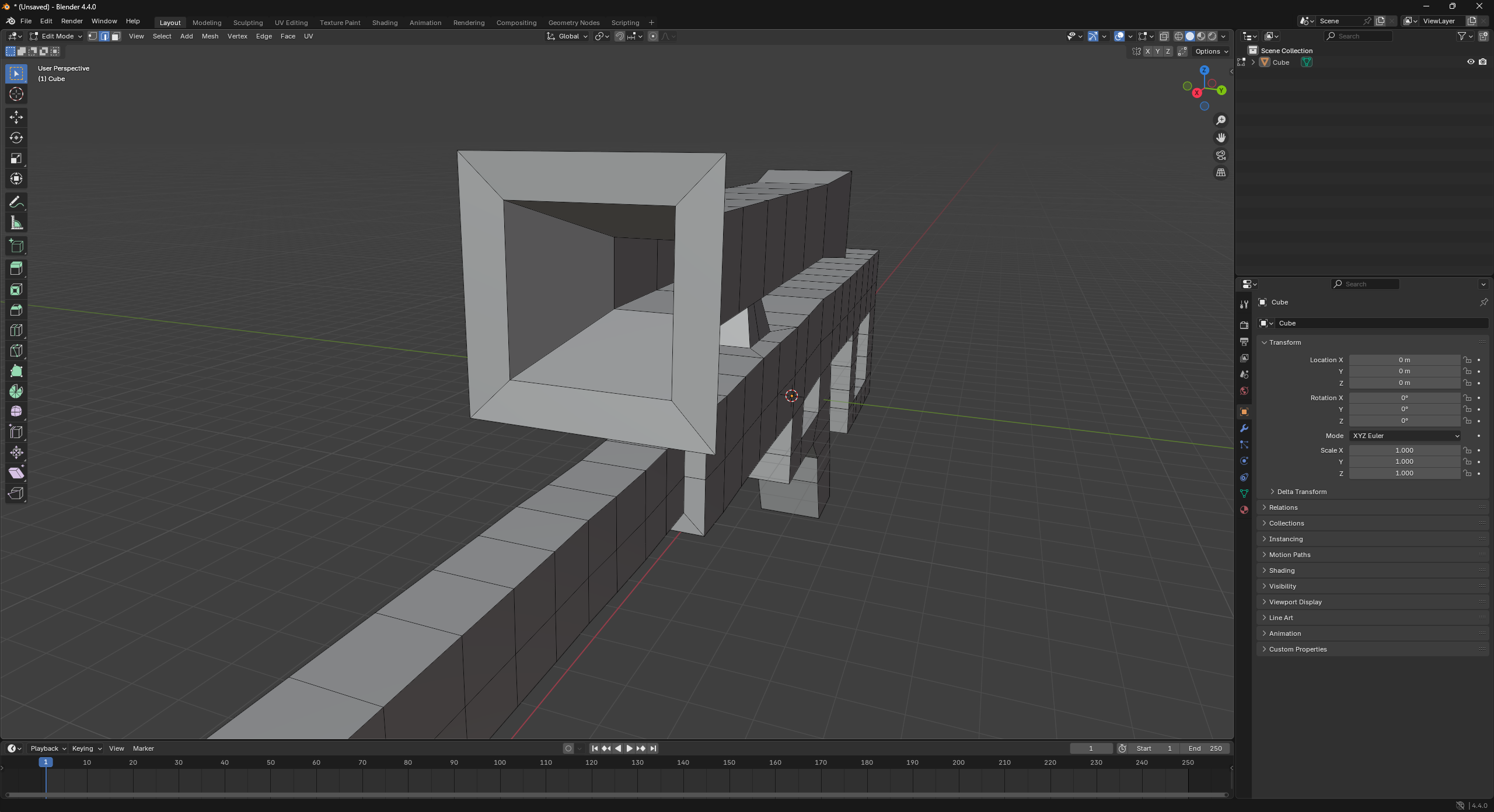
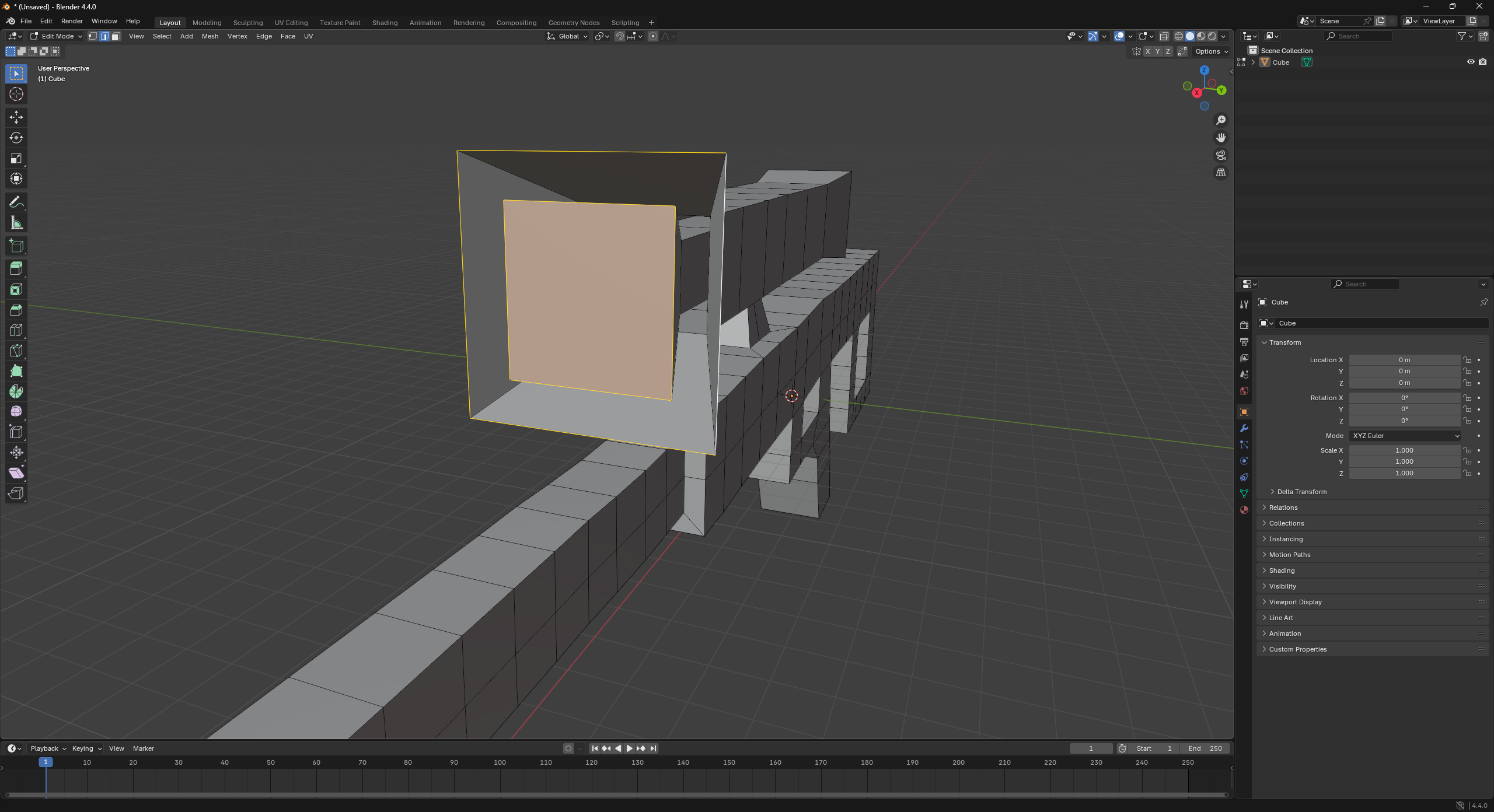
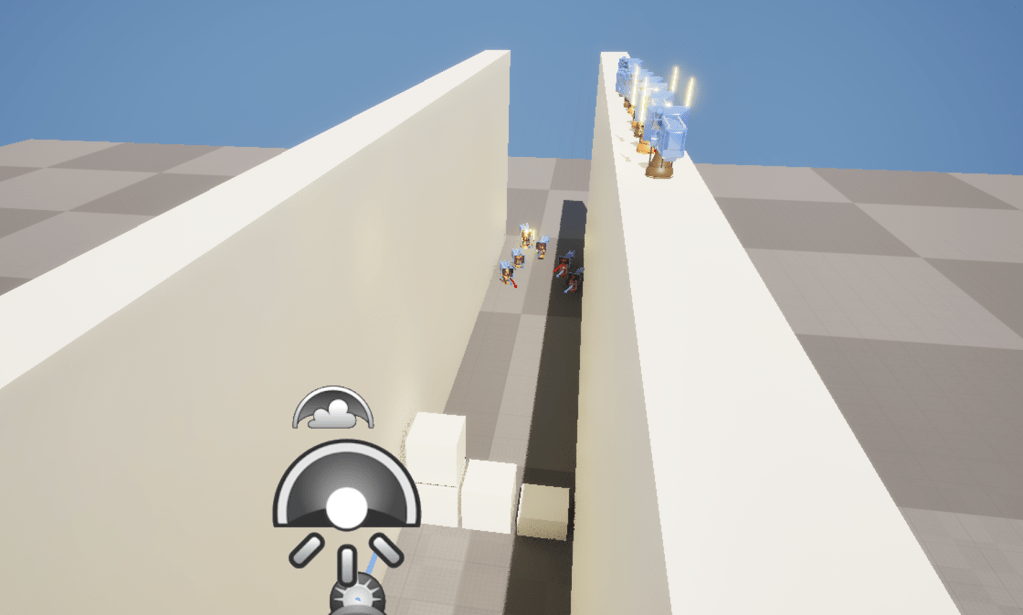
Apart from the weapons, I also created a test map which I used to help tune the movement of all of my pieces.
I made some blocks to jump over so I can tune each piece’s jump height and speed. It worked quite well and you can see all of the pieces current movement in the video above.
This week, I also learnt about a new method which could better optimize my game. I will not use it in this project, but for future projects I will definitely use it because it will speed up and simplify creating different characters and objects

This is the method I learnt about. It is creating a blueprint as a child to another blueprint. I could have used this in creating the black piece first, then making the white piece a child to the black piece. Because then all I would have to do was change the character’s material. The reason I am not going to switch to this method is just because I am too far in to what I already have going and it would take more time to switch to this method then just keeping it how it is. I will definitely use this is future projects though because it is a very useful feature.
Overall, I think this week went pretty smoothly. I didn’t get as much done as I would have liked, however I am feeling more refreshed and ready to improve my game for next week. I will focus on getting all of the pieces abilities finished and creating some more UI elements and maybe a floating health bar for each player.
I also realised that all of my pieces movement I created looks/feels okay to be but I don’t have any other opinions on my game. So next week, I will conduct some primary research by conducting a survey to get a better idea of how people will enjoy my game.
20/04/2025
This week, I created all of my pieces’ abilities. Doing this, I learnt how to use some new nodes in unreal engine. For example, while I was creating the Bishop’s ability, I learnt how to use the timeline node.
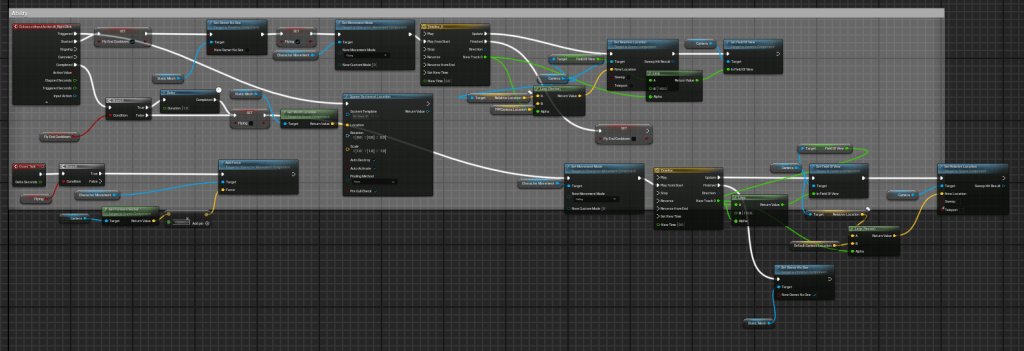
This is the code for my Bishop’s ability. The timeline nodes are used to smoothly move the camera’s location to a third person perspective.
I also learnt how to use the sequencer in Unreal. I did this because I wanted to make a progress update video for my YouTube channel.
This is a screenshot of the sequencer and the intro of this YouTube video is the result of using the sequencer.

I think it went okay but it was a bit blurry and I think my next update video will look better now I know how to use it better.
Finally, I started on the UI for my game.
I created a red effect which goes around the players’ screen which will appear when the player is low on health. I did this to give the player a heads up when they are close to dying. After some playtesting, I think it makes the game more intense and feel less buggy, because before it just felt like you teleport back to the chessboard randomly because there was no signal for low health.

Overall, I think this week went pretty successful. I am happy with the progress I have made with my game and how much I have learnt about Unreal. I think I could have created a better video if I put more time into it. Next week I am going to focus on polishing / finishing off my mechanics.
27/04/2025
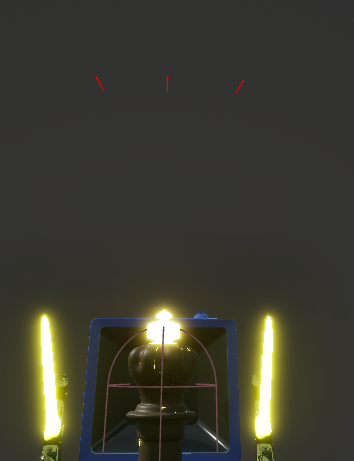
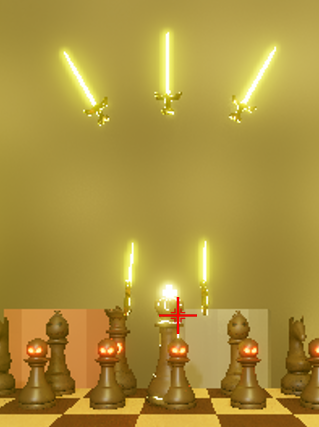
This week, I polished the attacks / abilities for my pieces to make some of them more balanced and fun to play.
This included: tweaking values of attacks or abilities until they feel more balanced, and creating a new ability for the king.
I also had to come to a compromise for my game. I decided to use an asset pack I had bought for creating the map. I decided to do this because with all of the features I still want to add, if I also had to model everything for the map in my game, it would take too long and I wouldn’t have finished in time for the deadline. However, in future projects, I will try to start modelling things throughout the project timeline in my free time so that I can use them in my projects without having to use premade assets. However even though I had to come to this compromise, I still think my map looks really good and fits the general aesthetic of my game.
This is a screenshot of the map I took after I had to fix the collision of everything in Unreal.
Everything exported with simple collision and I had to set them all to complex collision, I learnt how to use a property matrix and managed to fix it all in about 5 minutes.
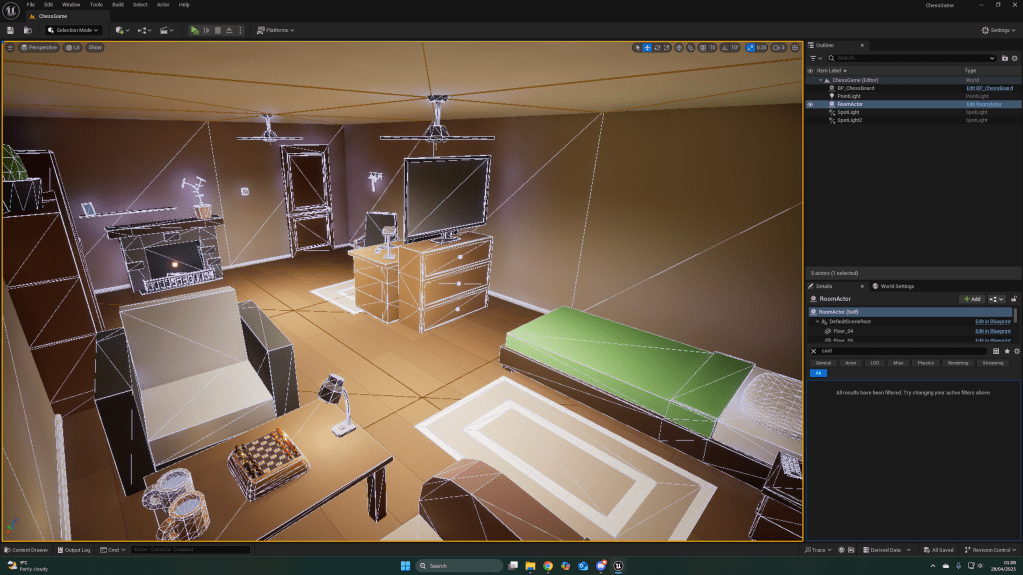
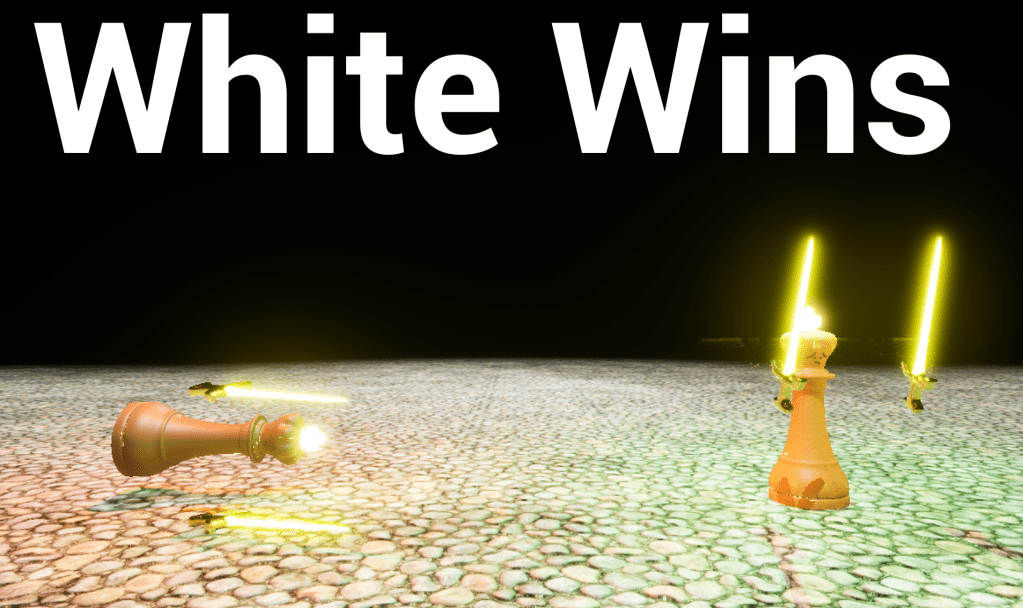
Finally, I also created a win screen for my game which displays the winner. I learned how to use game instancing while creating this level. Since I needed to carry a variable from one level to another, I had to use a game instance which stays the same no matter what level you’re on.
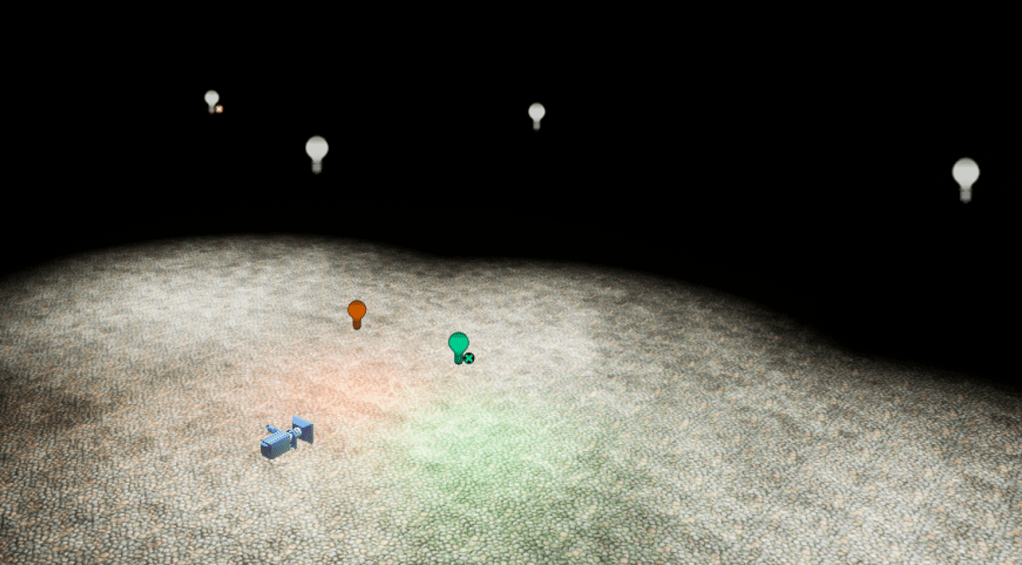
In future, when creating things like the king’s health saving throughout each battle he survives, I will use game instancing in scenarios like this.

This is a screenshot showing the kings health already low when he’s spawned in, a string displaying his health amount is printed in the top left corner. (The king’s max health is 250)
Overall, I think this week went pretty successful.
My game went from looking like this:
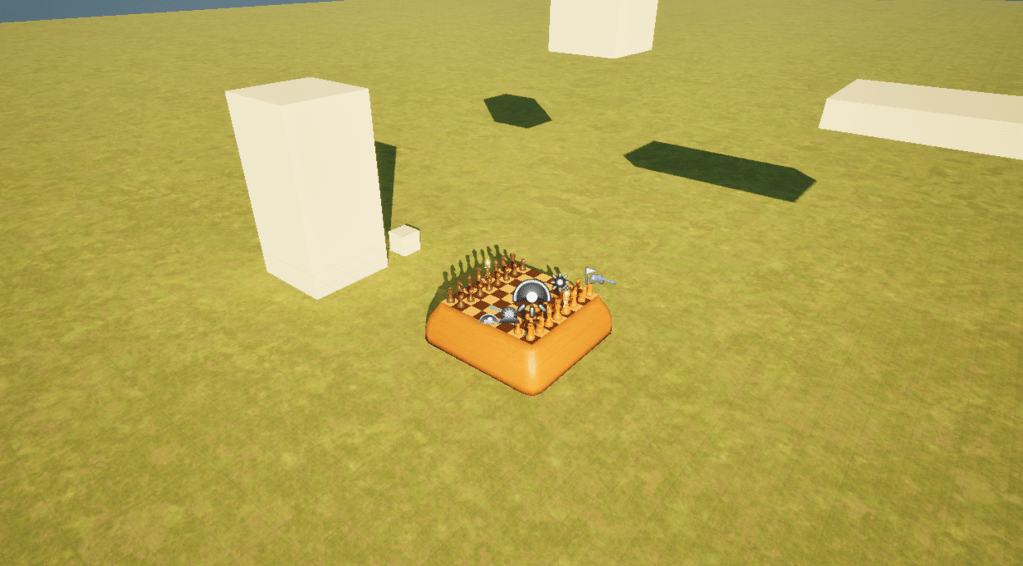
To looking like this:
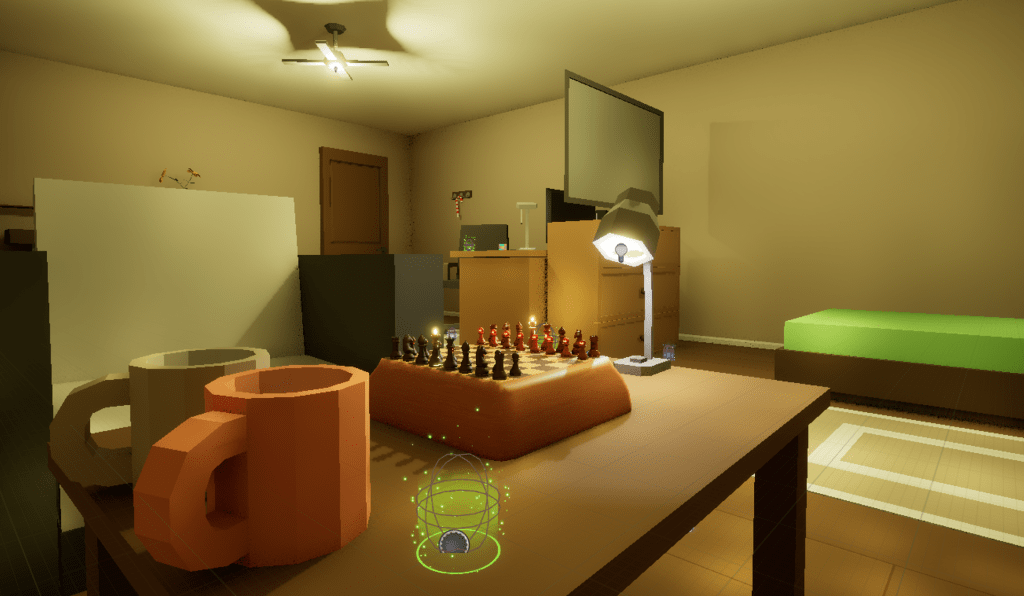
I think my game is now starting to feel like an actual game now. All that’s left to do is some fine tuning and polishing of some more mechanics and creating some more UI elements and start / help screen. Next week I will be focusing on UI for my game and making it feel more intuitive to play.
04/05/2025
This week, I mainly focused on finishing the UI and polishing the game by adding nice menus and a tutorial.


I started off by making all of the UI element I needed to show the play the information needed.
To the left and right are the UI elements I created myself. I used photoshop and learnt how to make some UI elements by creating basic shapes and editing them.
I thought these UI elements were working quite well when I was playing the game myself, however, when other people were playing my game, they thought it was quite unintuitive.
Because of this, I decided to revamp the UI and just use some free UI created to look like the actual input buttons.

This is the new UI I have used. People find it a lot easier now knowing the controls and which buttons to press.
I also learnt a lot about different types of UI while researching what makes a good UI this week.
In the future, if I am working on a project with a longer timeframe, I will learn how to create these UI elements professionally so I can make better UI for my game and in the style of the game I’m making to make a better experience.
The next thing I put together was a tutorial. I did this so players could get a hang of my game. I took inspiration from other tutorials and created this:
I put it together very quickly and I think I could improve and polish it a lot more by making it look nicer. However, due to not having much time left, I decided to move onto the next part of my game instead of improving it further.
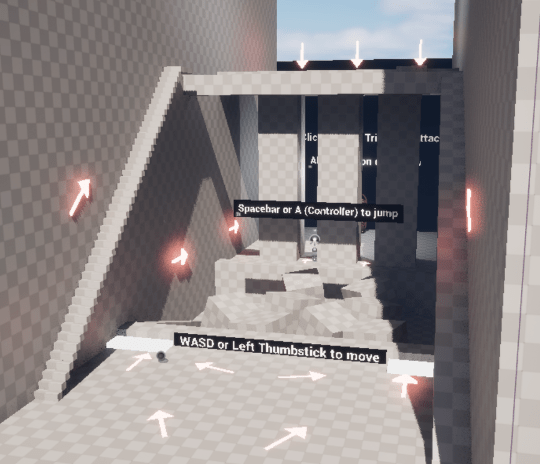
In future projects, I will make sure to keep a better scope of what I can actually complete in a certain amount of time so I have enough time to make everything look good as well as function well instead of just being functional but not looking good.
The final thing I created for my game this week was the main menu.
This was the main menu I created. I used inspiration from The Simpsons Hit & Run to come up with how it worked with the 3D elements.
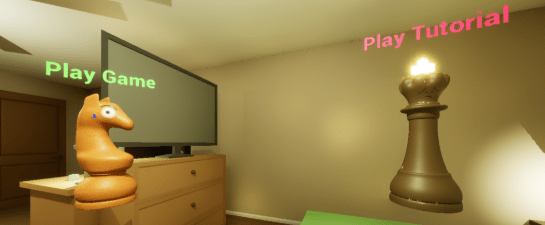
I learnt how to use hovered and click events in unreal engine to make this “non-UI” into a UI
Overall, even though I had a few changes this week with the UI, I still think that everything I created was still pretty successful because it all works. Next week, I will work on finishing up my game and hopefully creating a trailer.
11/05/2025
This week, I created new state for my game for when you start it up. Asleep mode. I also tried making a trailer for my game.
This is the “Asleep mode” I created:
The way I made it was creating an animation in a widget which is a slideshow of different images I made which fade into each other to try and simulate a dream. I couldn’t create anything good for the drawings because of time restrictions. But if I had more time, I would have sat down and spent more time in the drawing software to create something nicer-looking. I also learnt a lot about making widget animations during making this. It is a lot like blender.
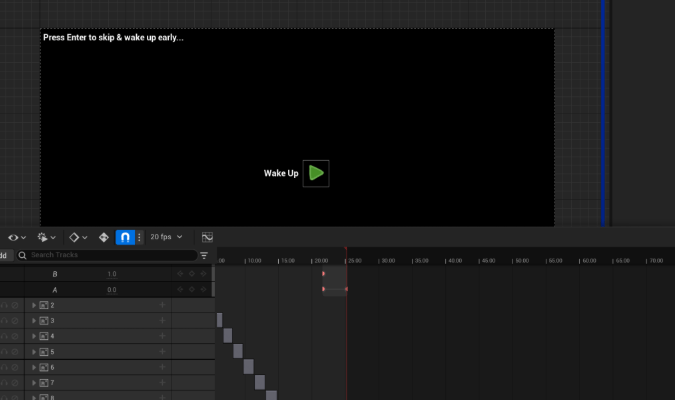
For my game, I didn’t do much production apart from the asleep mode because I was catching up on a lot of writing. In future projects, I will make sure that I will have better time management and plan out time for writing up.
I also tried creating a trailer this week. I tried using the “Take Recorder” from Unreal Engine to take cinematic footage of my game. However, I couldn’t get it working because it wouldn’t record things that have spawned in midway through the game and it wouldn’t record things spawned by players such as hit flashes. I had to compromise this week by instead of making a nice trailer, I just created a final gameplay footage showcase that some games do. I didn’t like it that much. However, I had to do this because I didn’t have much time left to research how to make trailers and actually create one. I have learnt that I will need more time for creating footage like this for future projects.
Here is the video I ended up creating in the end:
 Logan Brickhill