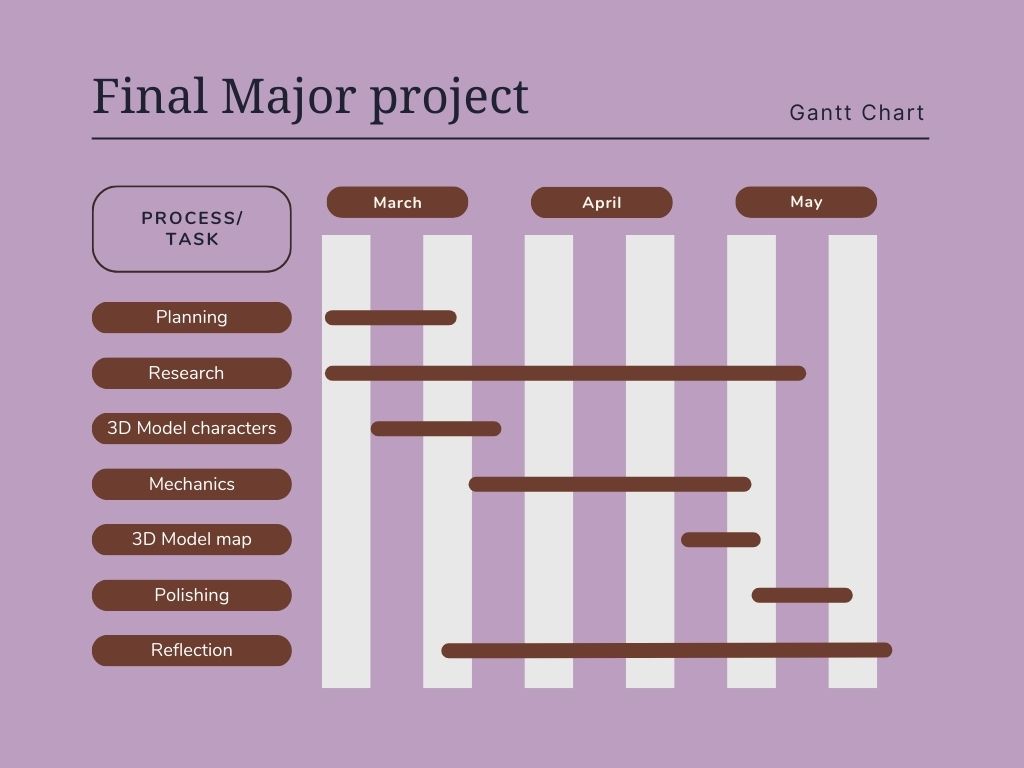
To assist with my time management, I have decided to create a Gantt chart so that I can keep an idea of what I should be working on and how long it should take me.
Contingency Plan
Since the scope of my project is quite ambitious, I will need a backup plan to fallback on in case I start running out of time due to poor time management. Since I am focusing mainly on mechanics, if I can’t get my chess mechanic working, I will transform my project to a slightly different game. I will scrap the chess mechanic idea and just make a 1v1 shooter game similar to Counter strike 2 but instead of choosing a loadout to play as when you spawn, you can choose a chess piece to play as. Where each will have a different weapon/ability set.
Planning the player character(s).
For my game, I am planning to use chess pieces as the player characters. I am going to 3D model each chess piece and give them a stylized look.
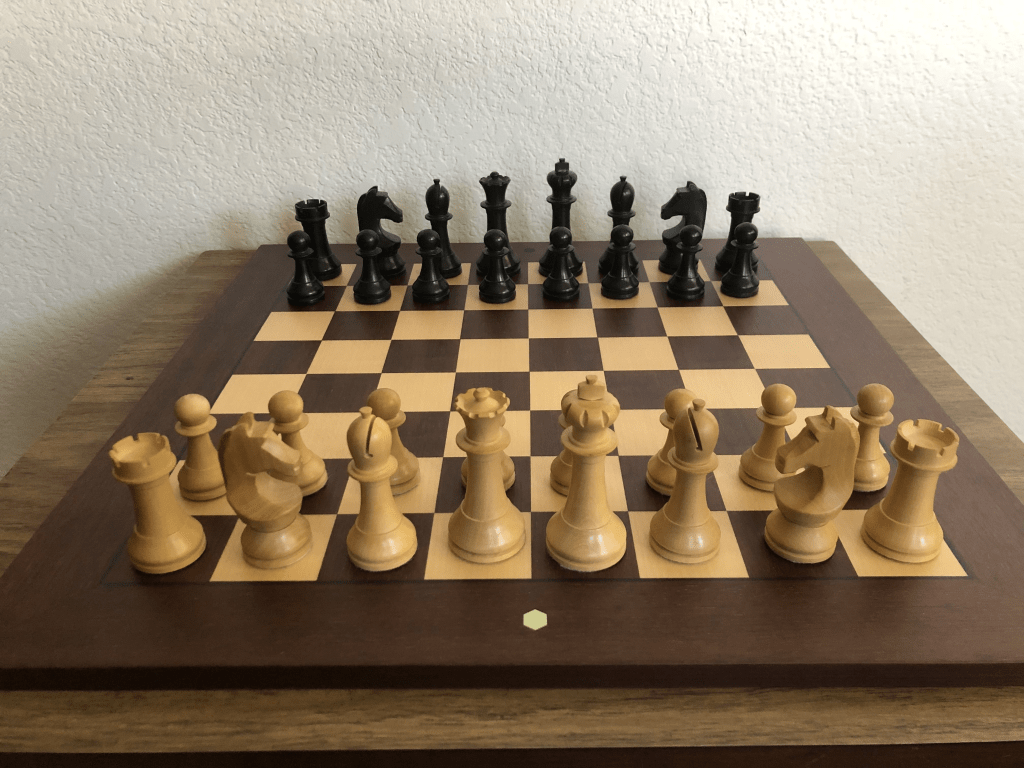
There are many different styles of chess pieces, and my favorite looking ones are the pieces that they use in the world championship.
For each piece, I want to give them each a “personality” rather than them just being normal chess pieces. I am planning on giving them faces which reflect upon their personality and abilities/weapons.
Now I have a clear plan in mind for the pieces, I will now conduct research into how these pieces should be made.
Planning the chessboard
The next step I have chosen to take to make my game, is making the chessboard. I am choosing this to make this now because it will allow me to start making the “chess” part of my game. I found this tutorial on YouTube which I am going to use a part of to help make the chessboard in unreal. It made me look at it a different way; rather than modelling a chessboard and exporting it into unreal, I am just going to model one tile and create 2 materials for it. This is so I can use each individual tile as a component which will help me coding the mechanics.
This is the video I am going to use. I will only be following the tutorial up to around 6 minutes because I only wanted help with how to construct the board in the project.
I am planning to research the recommended tile size in comparison to the pieces so that I can make the tile look right first try. I will also research some nice looking chessboards because I am also planning to make a fancy looking border around the tiles to display the rank and file (row and column) the pieces are on.
After some thought, I decided that I should conduct a survey on people in my target demographic age range and ask whether they prefer turn-based games or action games. I will also ask whether I should focus on my turn-based or action mechanics more in my game. This will give me a better idea on what I should shift my focus onto in the future to make my game better suit the target audience.
Replanning my chess mechanic
I think that coding legal moves for my chess game will take up most of the time I have for this project. So I have two options, I can either: Change my project into just a chess game, or not calculate legal moves and trust players not to cheat.
After some consideration, I decided that I will just not calculate legal moves. However, I am now planning to make a GUI to give to players as a “handbook” on how to play chess so that they can learn the legal moves themselves and treat the game how they would on a real chessboard. Since on a real chessboard you can really just put the pieces wherever you want. The reason I chose this is because in my survey I conducted, the majority said I should focus on the First Person Shooter aspect of the game rather than the chess part because it will be more fun. I am happy with this decision because I think it would be more fun to create the FPS part too.
Planning the weapons I want each piece to use
I want each piece to have a different weapon to reflect the personality I want it to have. I created this graphic just to keep a note on what I want the pieces to do:

I’m pretty happy with these stats. I think that the weapons and abilities well reflect the piece and the personality I game them. I also thought of these with fun gameplay in mind; I made sure that they are all semi-even so that even a pawn is able to kill a king or a queen even though it is the weakest piece. I did this because I think it reflects on the actual game of chess and how even a pawn can win you the whole game.
Planning special abilities / extra mechanics
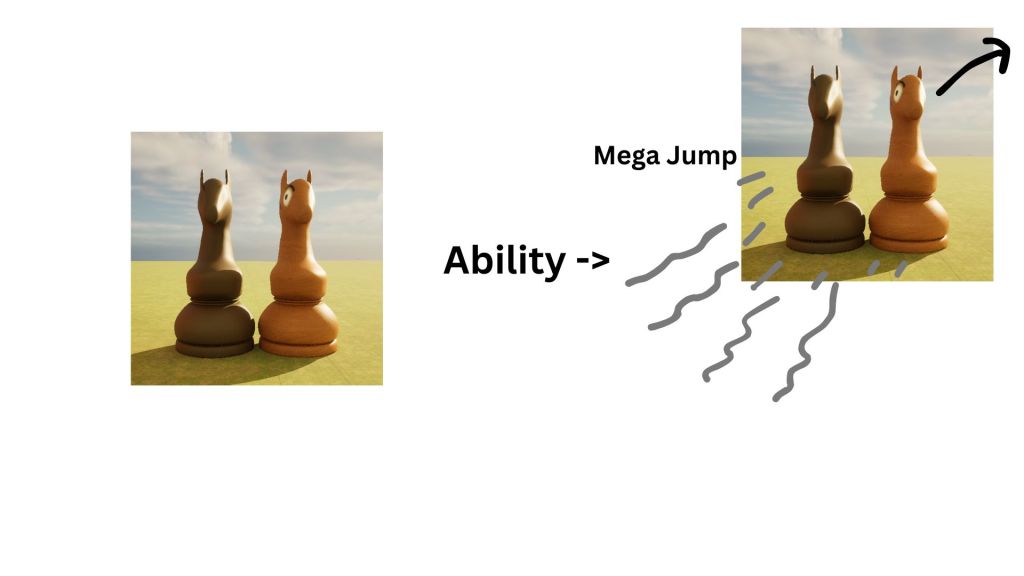
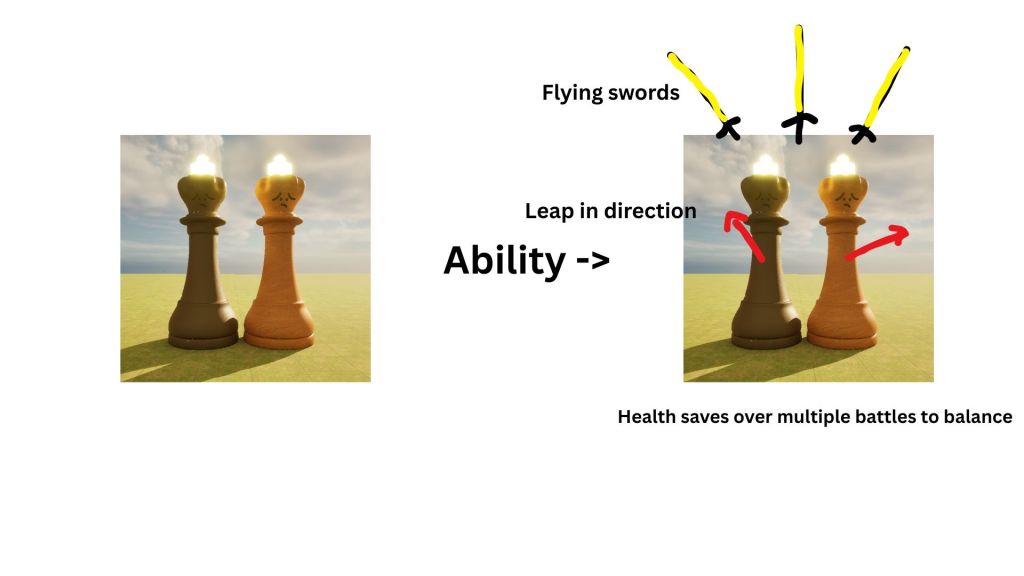
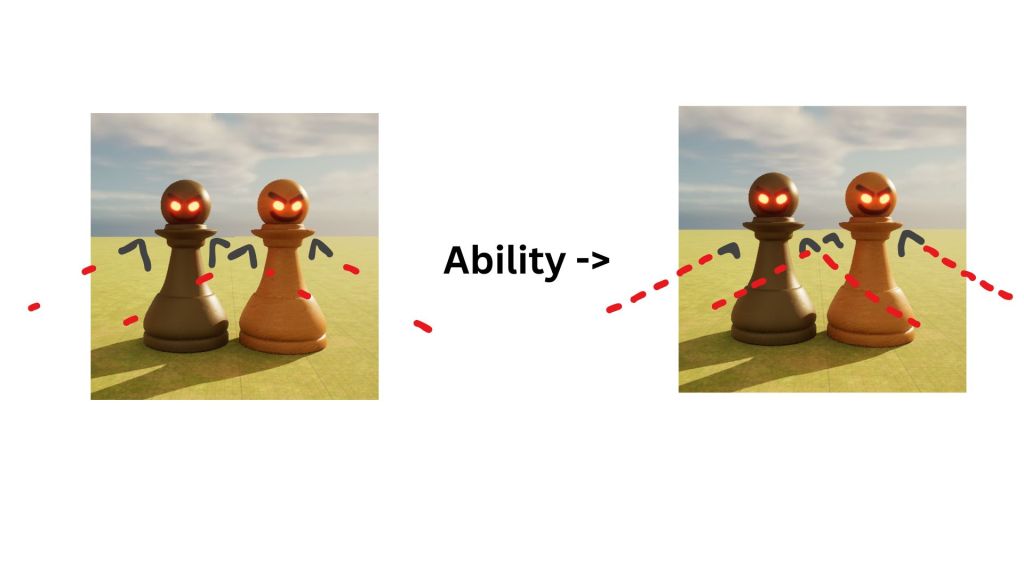
After creating that chart above, there were some ideas that I ended up not liking as much. So I am going to replan some of the piece’s weapons and abilities.
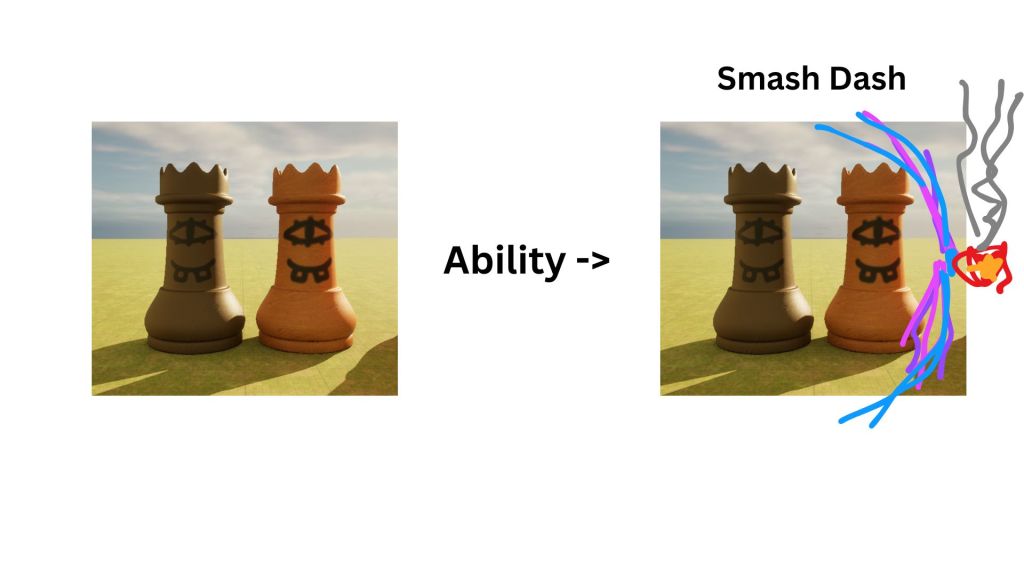
I created a very simple visual for each piece in the slideshow below. The drawings aren’t very good but they get the idea across.


UI
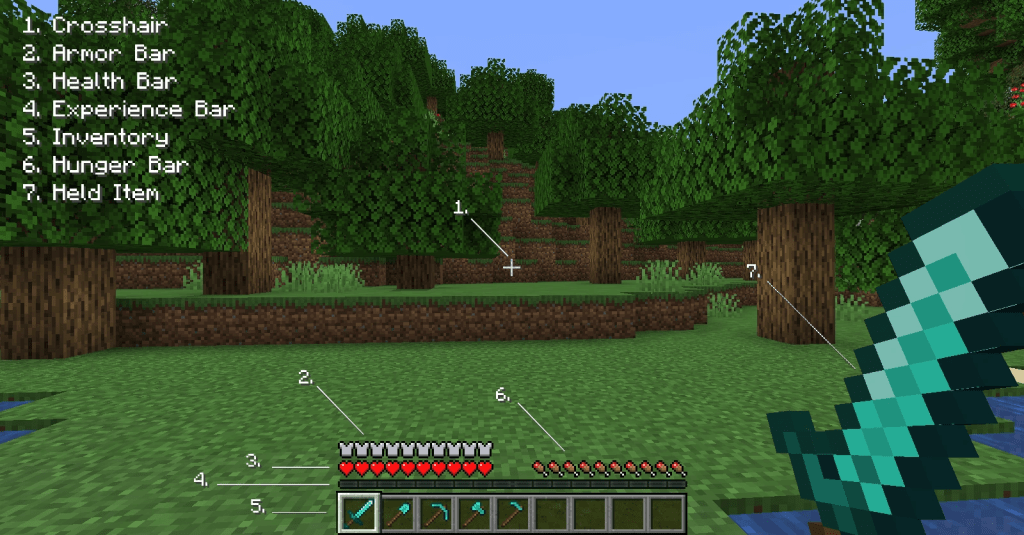
For the UI in my game, I want it to be simple and intuitive so that the player can easily understand how to play. A good example of this is Minecraft’s GUI.
https://minecraft.fandom.com/wiki/Heads-up_display#
However, I don’t want my game to be overcrowded with popups and confusing menus because it makes the player less interested in the actual game because of how long it takes to even get into it. I also don’t want an overcrowded HUD like this example to the right in Black Ops 6
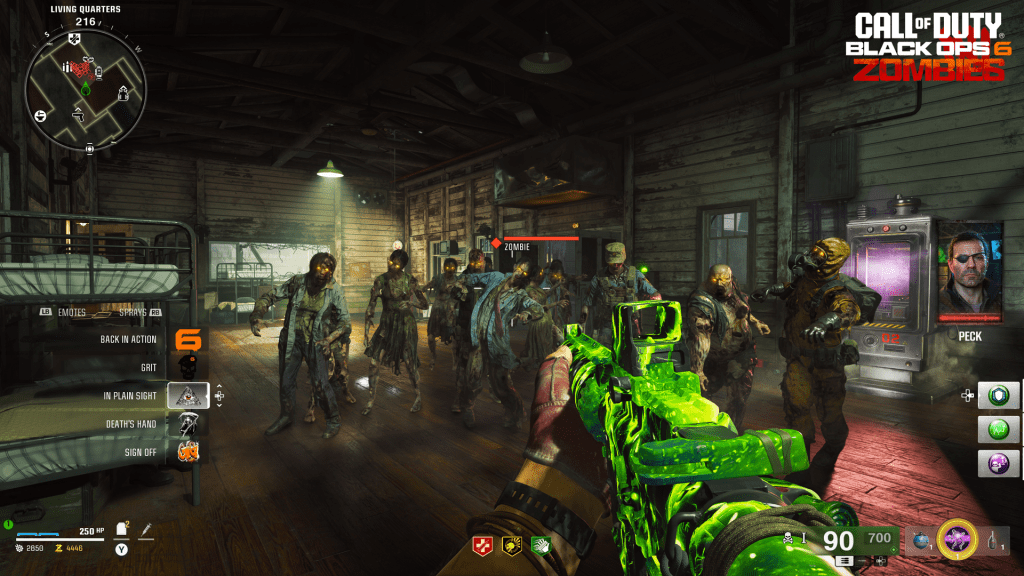
https://twitter.com/klobrille/status/1821582876640735337
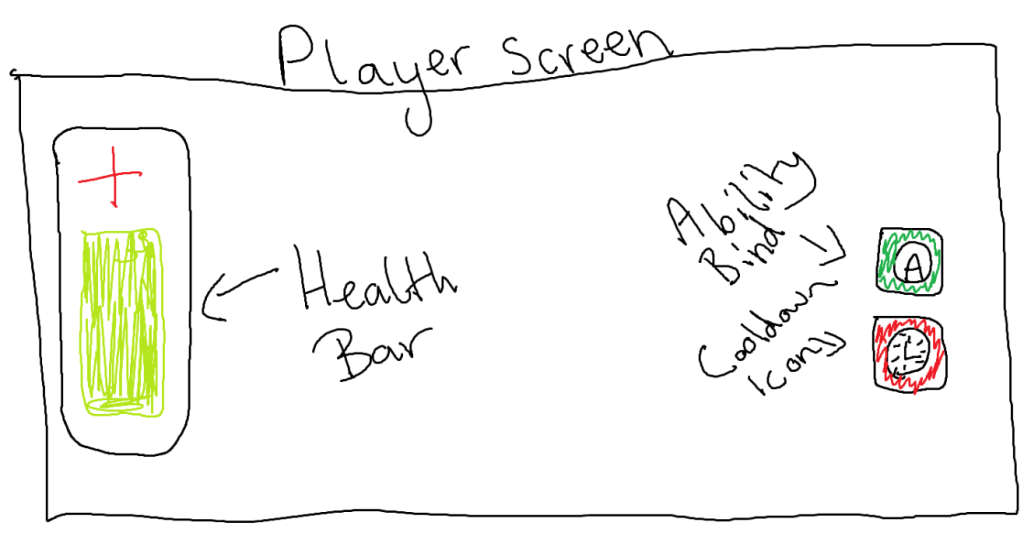
This is the initial design I have come up with. I used the simplicity of Minecraft’s GUI to design this and avoided overcrowding with unnecessary elements like the one above.
Map / level design
In my game, I am planning to make my map a bedroom from an ant’s perspective.
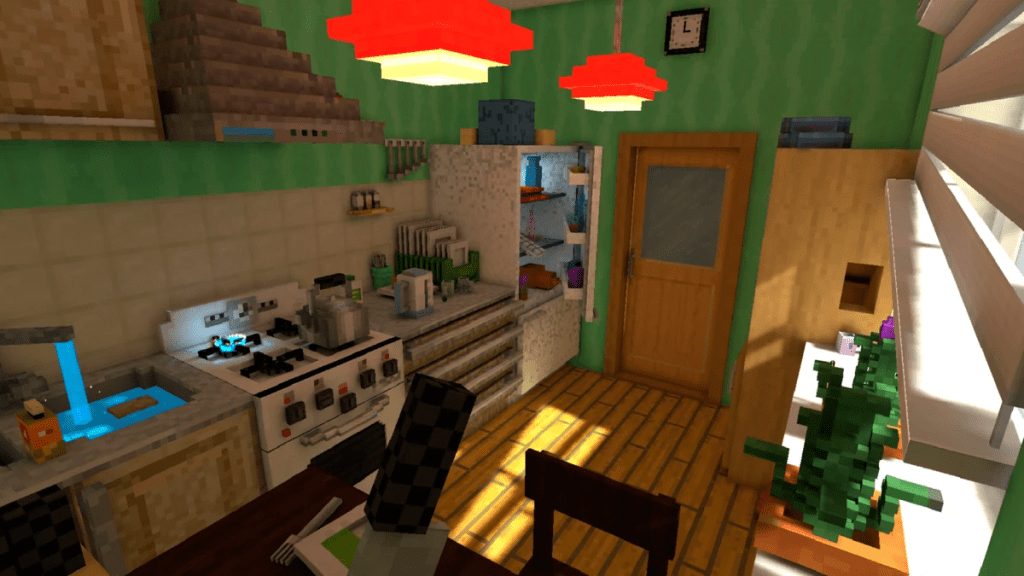
I would like my map to look similar to this map from Pixel Gun 3D. I want it to look simplistic and low-poly because I think it will make combat easier when there isn’t too many complex objects blocking your view but just enough obstacles to make the game fun.
This is a good example of the effect I want the map to give on the player. I want to do this to make the players feel like they are actually chess pieces fighting.
https://pixelgun.fandom.com/wiki/Ant%27s_Life
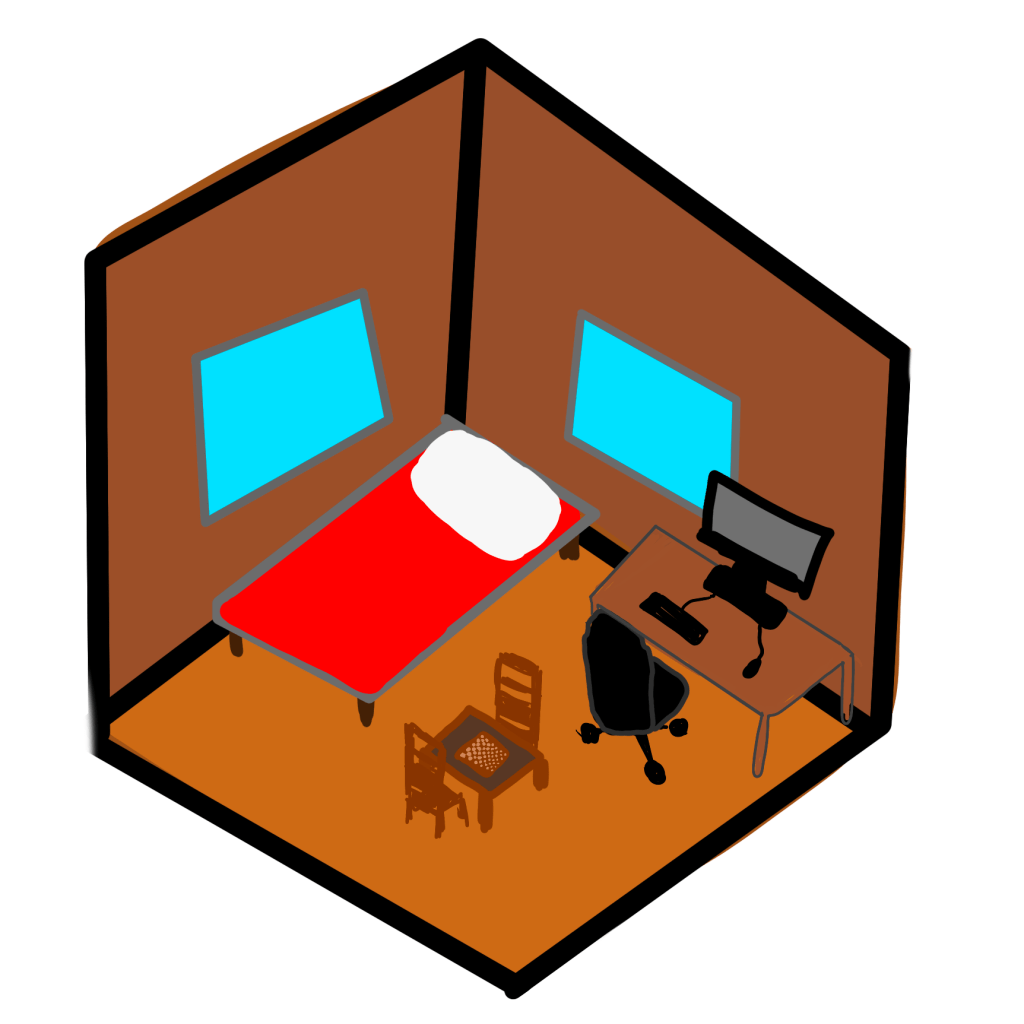
This is a quick sketch I drew for the map in my game, I drew it to be relatively simple while still having some obstacles to keep gameplay interesting. I also intentionally kept to very simple shaped because I want it to look stylized and low-poly to fit the general mood I have already created with my characters and UI design. Having low-poly assets will also make my game less laggy which is a bonus.
Music / sound effects
I want the music in my game to be sort of classical / piano, strings, and woodwind centred to fit the general chess aesthetic.
This is a good example of what I would like maybe the menu screen or main game music to sound like. I like how it sounds and isn’t too much to distract from gameplay but it gives the calming board game aesthetic to the game with the upbeat melody. I would want a song like this in my game.
I would also like songs like this in my game. It still fits in with the mood of the game but it gives of a more serious tone with the melody and structure. I like how it could emphasise a more intense battle and make the players concentrate and try harder in a fight.
Tutorial
To make my game more enjoyable for all types of people, I decided to add a tutorial to my game for players to get used to the mechanics and controls.
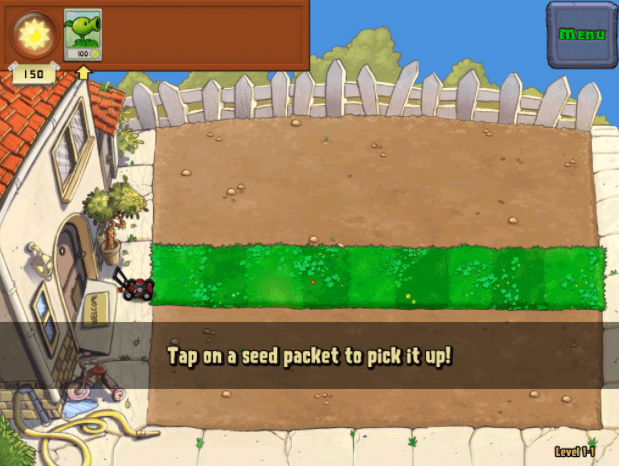
I want to create a very simple tutorial with multiple ways to complete it. I want to do this to make it more interesting for each player so they can have a more original experience. A good example of a tutorial like this would be the Plants VS Zombies tutorial. I would like to create a tutorial like this but make it playable for every piece of the chess board. I like this idea because I could make it so some pieces can explore more ways to complete the same level, giving it some more depth.
https://www.filamentgames.com/blog/10-tips-designing-game-tutorial/
Main Menu
For my game, I want to have a fun main menu screen where it isn’t just 2D buttons but you can actually press elements of the game to navigate.
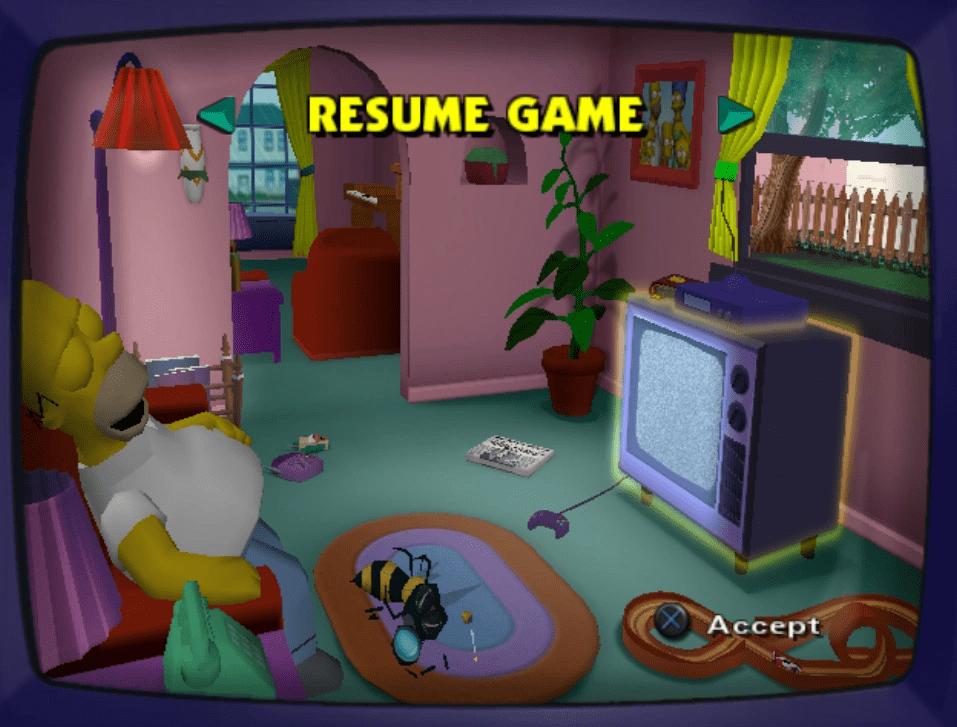
A good example of what I would like to create is The Simpson’s Hit & Run. I like how you have to press on the tv then you go into the game like you’re playing a video game on the TV. This gave me an idea for my game to maybe have certain levels as chess pieces that you can pick up to play. I think this would make the game a lot more interesting because not many games put a lot of thought into a menu’s design.
https://simpsons-hit-and-run.fandom.com/wiki/Main_Menu_screen
Start of the game
I had an idea to add a sort of cutscene and / or animation to start up the game like most other games do. I want to create my own at the start of my game because I think it will make the game more memorable and feel more polished.
I drew up a quick sketch of the general idea of what I wanted to create for my game and am planning to research how other games have approached this.
This is the drawing / storyboard I created for the sequence I want in my game:

Boosters
After some playtesting of my game with friends, some feedback I received was that the movement in general wasn’t too good and that it was difficult to get around the map especially vertically. So I decided to think of a solution which didn’t involve changing the map or character code too much. I came up with boosters that you can use.
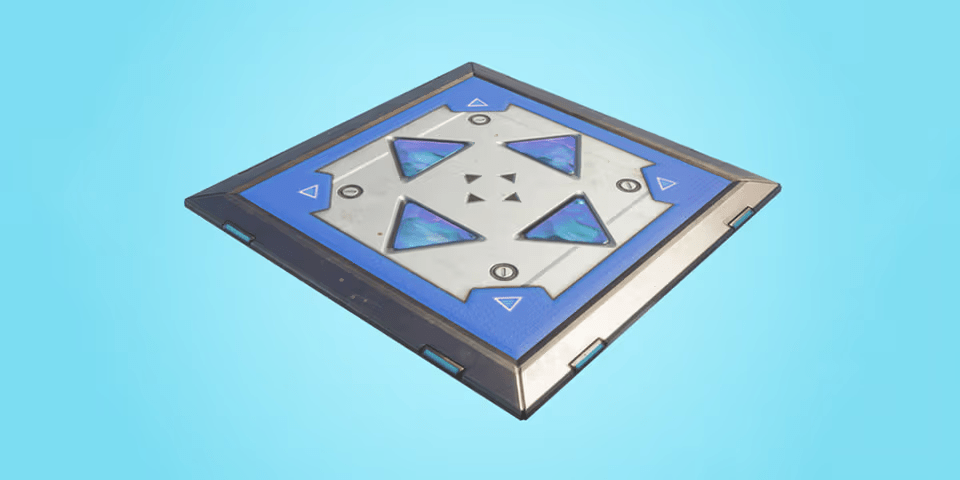
The first idea I had was a jump booster pad which just launches the player up when stood on then respawns after a few seconds. There is a similar item to this in Fortnite – the bounce pad which is the image to the right.
https://hypebeast.com/2018/6/fortnite-battle-royale-jump-pads-bouncers-return
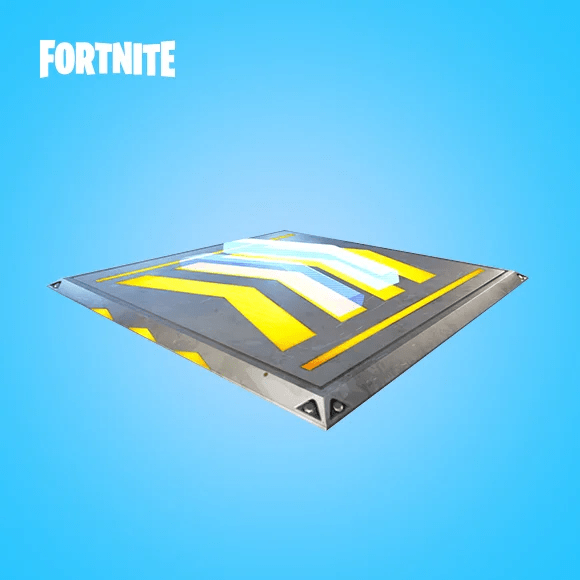
To further expand on this idea, I also decided that I want to create something that makes the player move faster. I decided to use Fortnite as an example again with the boost pads which launch the player horizontally in the direction of the arrows. I like this idea, however, I am going to have something like this but instead of launching, it doubles your speed for a while then respawns when it runs out. I think this will make for very interesting gameplay since all characters will now be able to get around the map quicker.
https://www.ign.com/wikis/fortnite/V3.2.0_Patch_Notes
I think adding both of these boosters will make gameplay a lot more intense and make the battles more skilful too.
Levels
After conducting a survey for my game, one of the most frequent suggestions was to add more levels in my game. So if I have time to, I am planning to create the rest of the house to the room that I made and have a map for each room. I like this idea because it sticks with the theme of my game and could allow for a really cool level selection screen. I created a quick diagram to show the idea I came up with.
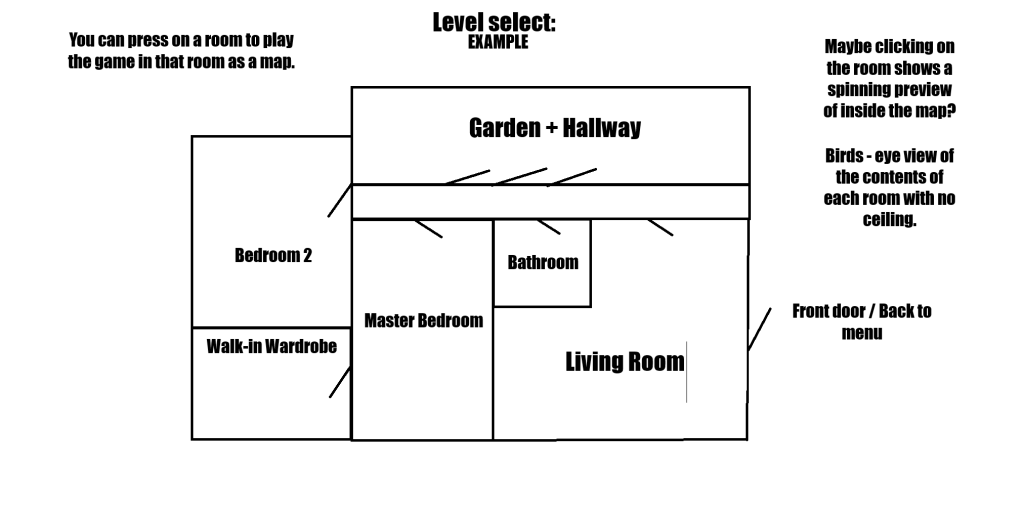
I really like this idea for the levels however I think due to the short timeframe of the project, that I won’t be able to fully create this feature.
 Logan Brickhill